How to Create Your First Agent Skill for Claude Code
Step-by-step guide to creating, testing, and publishing SKILL.md files for Claude Code, Codex CLI, and Gemini CLI.
%20by%20%E2%80%9ELisa%20Wischofsky%E2%80%9D%2C%20licensed%20under%20%E2%80%9ECC0%201.0%E2%80%9D%20(https%3A%2F%2Fcreativecommons.org%2Fpublicdomain%2Fzero%2F1.0%2F)%3C%2Fdc%3Arights%3E%3C%2Frdf%3ADescription%3E%3C%2Frdf%3ARDF%3E%3C%2Fmetadata%3E%3Cmask%20id%3D%22viewboxMask%22%3E%3Crect%20width%3D%22980%22%20height%3D%22980%22%20rx%3D%22490%22%20ry%3D%22490%22%20x%3D%220%22%20y%3D%220%22%20fill%3D%22%23fff%22%20%2F%3E%3C%2Fmask%3E%3Cg%20mask%3D%22url(%23viewboxMask)%22%3E%3Crect%20fill%3D%22url(%23backgroundLinear)%22%20width%3D%22980%22%20height%3D%22980%22%20x%3D%220%22%20y%3D%220%22%20%2F%3E%3Cdefs%3E%3ClinearGradient%20id%3D%22backgroundLinear%22%20gradientTransform%3D%22rotate(28%200.5%200.5)%22%3E%3Cstop%20stop-color%3D%22%23FFEDD5%22%2F%3E%3Cstop%20offset%3D%221%22%20stop-color%3D%22%23FFCCB6%22%2F%3E%3C%2FlinearGradient%3E%3C%2Fdefs%3E%3Cg%20transform%3D%22translate(10%20-60)%22%3E%3Cpath%20d%3D%22M632%20187c17%209%2033%2022%2041%2040%209%2017%2010%2035%207%2053%2015%2014%2022%2034%2024%2054%201%209%202%2020-2%2030-1%203-3%208-7%2011l-4%201-10-8c-9-12-16-24-23-37-7%2010-17%2019-28%2024l-6-3c-9-5-14-17-23-21l-5%2018c-1%203-3%206-6%206-6-1-12-3-17-6-22-10-45-20-69-27%202%206%203%2012%201%2018%200%202-2%204-4%206h-14a188%20188%200%200%200-69%200c-6%201-12%205-19%207l-48%2020-12%2026c-5%2012-9%2025-12%2037-1%203-2%207-1%2010%202%204%207%205%209%209v5c-4%2010-6%2022-7%2033-3%2016-3%2033-3%2049v21c0%203-3%206-7%206-4%201-8%200-12-2l19%2014c3%202%205%204%205%208-1%202-4%203-6%204%203%201%205%202%206%205%202%203%201%206-2%208-5%203-12%201-16-2-2-3-5-7-5-11%201-2%203-2%205-3-6-3-10-7-15-11-11-9-25-15-37-22l-11-7-4-7a322%20322%200%200%201-24-121c1-20%205-41%2011-61%205-13%2011-26%2020-36%207-10%2016-18%2028-22-3-10-4-20%200-29%204-15%2015-27%2029-35%2018-10%2037-16%2057-20%2027-5%2056-8%2083-12%2026-4%2052-11%2078-18%2019-5%2038-10%2058-11%2016%200%2032%202%2047%209Z%22%20fill%3D%22%23000000%22%2F%3E%3Cpath%20d%3D%22M495%20234c28%201%2056%206%2084%2015a201%20201%200%200%201%20100%2065c19%2025%2031%2055%2035%2086a361%20361%200%200%201%202%20101l-5%2034-4%2020c-1%202-1%202-3%202-2-4-2-8-2-12-1-15%201-29%202-44%201-24%203-48%201-72l-6-45c-7-28-20-54-40-75-18-18-40-33-63-43-22-9-44-15-67-19-18-3-36-4-54-4a277%20277%200%200%200-128%2029c-13%209-25%2020-35%2032a276%20276%200%200%200-55%20139c-1%2024%200%2047%208%2070l7%2015%2012%201%201%203c-3%202-7%202-11%203-10%202-20%206-29%2012-7%205-14%2011-18%2019-5%2010-3%2022-1%2033%205%2019%2017%2037%2033%2049%2011%209%2025%2014%2039%2016%2010%202%2020%200%2030-1%205%204%208%2012%2011%2017l18%2027a136%20136%200%200%200%2066%2050c22%209%2045%2014%2068%2019l41%208%2017%205v4h-12a535%20535%200%200%201-67-8%20255%20255%200%200%201-84-33c-11-7-21-16-29-27a214%20214%200%200%201-16%20123c-15%2027-40%2048-70%2057-3%201-7%202-10%201-2%200-2-1-2-3%201-3%204-5%206-6%2012-8%2026-14%2038-23%2013-11%2024-23%2031-38%206-15%2010-32%2012-49%202-13%203-26%202-40l-4-38-18-36-19%204a88%2088%200%200%201-75-38%2093%2093%200%200%201-20-58c0-9%203-18%208-25s12-13%2019-17c5-4%2012-6%2018-8l-9-24c-5-22-5-45-2-67a292%20292%200%200%201%2063-149c9-10%2018-19%2029-26%207-4%2014-5%2020-9%2043-19%2090-25%20137-22Z%22%20fill%3D%22%23000%22%2F%3E%3Cpath%20d%3D%22M475%20243a276%20276%200%200%201%20121%2023c23%2010%2045%2025%2063%2043%2020%2021%2033%2047%2040%2075l6%2045c2%2024%200%2048-1%2072-1%2015-3%2029-2%2044%200%204%200%208%202%2012l-1%2020c-2%205-2%2010-2%2016-2%2024-2%2049-6%2074-1%2012-3%2025-8%2036-3%209-8%2017-15%2024-12%2013-27%2024-43%2033-19%2011-39%2016-58%2024-5%202-10%204-13%208%208%201%2015%200%2023-2-5%2012-6%2024-6%2036%200%205-1%2011%201%2016%203%205%208%209%2013%2012l35%2013c22%208%2043%2018%2065%2027%202%204%205%207%206%2012%206%2011%207%2023%203%2035-5%2013-15%2024-27%2031-16%2011-36%2019-55%2024a494%20494%200%200%201-235-7c-20-7-40-14-58-24-14-8-29-18-40-31-6-8-11-19-12-29a122%20122%200%200%200%2086-107c4-24%204-49%200-73%208%2011%2018%2020%2029%2027l27%2014a331%20331%200%200%200%20124%2027h12v-4l-17-5-41-8c-23-5-46-10-68-19-13-6-27-13-39-21-10-9-19-18-27-29l-18-27c-3-5-6-13-11-17-10%201-20%203-30%201-14-2-28-7-39-16a94%2094%200%200%201-33-49c-2-11-4-23%201-33%204-8%2011-14%2018-19%209-6%2019-10%2029-12%204-1%208-1%2011-3l-1-3-12-1-7-15c-8-23-9-46-7-70a276%20276%200%200%201%2054-139c10-12%2022-23%2035-32a277%20277%200%200%201%20128-30Z%22%20fill%3D%22%23ffffff%22%2F%3E%3Cpath%20d%3D%22M260%20571c4%200%207%200%2011%202%205%201%2011%204%2014%208%202%203%202%207%200%2010-5%206-12%2010-16%2016%206%204%2014%206%2021%209%204%201%208%203%2011%206l1%203-8-2-24-7c-4-1-8-3-9-7-1-3%201-7%203-10l15-13c-4-7-15-8-19-15ZM703%20577l2%203%202%2016a483%20483%200%200%201-2%2089c-2%2011-5%2023-10%2033a198%20198%200%200%201-106%2071c-1%2014-3%2031-2%2047l5%205c8%206%2018%209%2027%2012a451%20451%200%200%201%2068%2028c7%204%2013%209%2018%2015-5%201-10-1-16-2-22-9-43-19-65-27l-35-13c-5-3-10-7-13-12-2-5-1-11-1-16%200-12%201-24%206-36-8%202-15%203-23%202%203-4%208-6%2013-8%2019-8%2039-13%2058-24%2016-9%2031-20%2043-33%207-7%2012-15%2015-24%205-11%207-24%208-36%204-25%204-50%206-74%200-6%200-11%202-16Z%22%20fill%3D%22%23000%22%2F%3E%3Cpath%20d%3D%22m693%20510-2%207c-3%205-6%209-11%2012s-11%204-17%205l-18%202c-5%200-8%203-10%206l-7%207c-2%201-5-1-4-3%201-8%207-14%2011-20%203-3%207-7%2012-7l30-5c5-1%2010-4%2016-4ZM388%20514c12-1%2021%203%2032%204%2015%202%2030%204%2045%204l24%202c8%201%2017%200%2024%204s12%2010%2016%2016c1%202%202%204%200%207-1%201-3%200-4-1-4-2-7-6-11-7l-12-1-28-1-22-1c-10-1-20-1-30-5-7-2-12-6-19-9l-12-9c-2-1-3-1-3-3Z%22%20fill%3D%22%23000000%22%2F%3E%3Cpath%20d%3D%22M492%20386c7%200%2013%200%2019%202%208%202%2015%205%2018%2013%204%207%204%2014%202%2022-1%204-4%207-9%208-8%203-17%201-26-1-7-1-15-3-22-6-6-3-12-8-13-14-2-6%202-13%207-16%207-6%2016-7%2024-8ZM658%20388c5%201%209%204%2011%209%202%203%201%208%200%2011-1%204-5%208-8%2010-5%205-11%206-18%208-5%201-12%203-18%201-2-1-6-4-7-7-3-11%203-25%2014-30%208-4%2017-4%2026-2Z%22%20fill%3D%22%23000000%22%2F%3E%3Cpath%20d%3D%22M293%20643c3-2%207-1%209%201%203%202%204%206%203%2010-2%204-7%207-12%205-3-1-5-5-4-8%200-4%201-7%204-8Z%22%20fill%3D%22%23000000%22%2F%3E%3Cpath%20d%3D%22M594%20572a37%2037%200%200%201%2019%2029c0%209-5%2018-13%2022l-17%207c-4%201-6%202-9%200-2-3-1-4%201-6%206-5%2015-7%2021-12%203-2%205-5%205-9%200-10-5-17-7-26v-5Z%22%20fill%3D%22%23000000%22%2F%3E%3Cpath%20fill-rule%3D%22evenodd%22%20clip-rule%3D%22evenodd%22%20d%3D%22M438%20634c-4%206-11%2011-19%2013%200-4%203-7%206-9%204-3%208-5%2013-4Zm14%2012%2032%205%2024%206c15%204%2029%208%2044%2010%2010%201%2020%200%2029-1%2012-2%2023-4%2036-1%206%202%2011%206%2015%2011%203%205%204%2010%202%2016s-7%2013-13%2017c-7%205-15%206-24%207l-30%203-29-2-21-5-10-3-12-3-14-4-23-8-17-10c-7-5-10-15-8-23%202-9%2010-15%2019-15Zm4%209-9%201c-4%201-7%204-8%208%200%203%202%206%203%208v1l8%208%204%202c0-9%200-19%204-27l-2-1Zm9%202a703%20703%200%200%201%2040%2010c-2%2011-5%2022-4%2033l-22-6-14-5-4-2%204-17v-13Zm87%2020c-14-1-27-5-41-8a46%2046%200%200%201-1%2018c-1%205-2%2010-5%2014l9%202%2013%204%2017%203%205%201c-3-10%200-21%202-30l1-4Zm54-5c4%200%208%200%2012%202%203%201%206%205%208%208%201%202%202%205%201%208-3%205-7%2010-12%2013s-10%204-16%205l-2%201%207-18%202-19Zm-13%2025%205-25-15%203-23%202c0%2010-2%2019-5%2029l-2%205a135%20135%200%200%200%2035-1l4-1%201-12Z%22%20fill%3D%22%23000000%22%2F%3E%3Cpath%20d%3D%22M617%20181c12%204%2024%2010%2034%2018%2012%2010%2022%2023%2027%2038a105%20105%200%200%201-16%2090c-8%2011-19%2022-32%2028-8-2-12-7-17-13-3-4-7-9-12-11l-4%2016c-1%202-2%206-5%207-2%203-7%200-10-1l-36-16-42-15c2%206%202%2012%201%2018%200%202-2%204-4%206h-14c-14-3-29-4-43-3-23%201-46%208-69%2013l-18%201-11%2027c-8%2017-14%2034-19%2052-1%203-2%207-1%2010%202%204%207%205%209%208v5c-4%2010-6%2021-7%2032-3%2018-3%2036-3%2055v17c0%203-4%206-7%206-4%201-8%200-12-2l20%2014c2%202%204%205%204%208-1%202-4%203-6%204%203%201%207%203%207%207s-3%206-6%207c-7%202-16-4-18-12%200-3%201-5%205-5-8-4-14-10-18-17-3-4-5-9-5-14%201-2%204%200%206%200-7-6-14-13-19-20-1-3-4-3-6-3l-24-6c-2-1-6-1-7-4l-5-17-8-43a370%20370%200%200%201-1-71l7-31a118%20118%200%200%201%2049-59c-4-10-5-19-2-29%204-15%2014-27%2028-35%2017-11%2037-17%2057-21%2028-6%2057-9%2085-13%2026-4%2051-10%2076-17l36-9c19-3%2037-4%2056%200Z%22%20fill%3D%22%23000000%22%2F%3E%3C%2Fg%3E%3Cg%20transform%3D%22translate(10%20-60)%22%3E%3C%2Fg%3E%3C%2Fg%3E%3C%2Fsvg%3E)
William Wang — Founder of TokRepo & GEOScore AI. Building tools for AI developer productivity and search visibility.
Quick Answer
To create your first agent skill, make a SKILL.md file in your project root or .claude/commands/, add YAML frontmatter with name, description, and triggers, then write numbered step-by-step instructions in the body. Test by invoking the slash command in Claude Code (e.g., claude /code-review) or natural language in Codex CLI, then publish to TokRepo with tokrepo push my-skill.skill.md --public.
What Is an Agent Skill?
An Agent Skill is a Markdown file (typically SKILL.md or *.skill.md) that teaches an AI coding agent how to perform a specific task. Think of it as a reusable prompt with structure — it tells the agent what to do, when to activate, and how to execute.
Unlike MCP servers (which require code and a running process) or custom rules (which are simple text constraints), agent skills sit in a sweet spot: powerful enough to encode complex workflows, simple enough that anyone can create one.
Who Uses Agent Skills?
- Claude Code — looks for
SKILL.mdfiles in.claude/commands/or project root - OpenAI Codex CLI — reads
AGENTS.mdfiles - Gemini CLI — reads
GEMINI.mdfiles - Cursor — reads
.cursorrulesfiles
The SKILL.md format works across all of these with minor adaptations.
Prerequisites
Before you start, make sure you have:
- An AI coding agent installed — Claude Code, Codex CLI, or similar
- A text editor — VS Code, Cursor, or any editor you prefer
- A project directory — any folder where you want the skill available
Step 1: Create the SKILL.md File
Create a new file called SKILL.md in your project root (or in .claude/commands/ for Claude Code).
# Option A: Project root (works everywhere)
touch SKILL.md

# Option B: Claude Code commands directory
mkdir -p .claude/commands
touch .claude/commands/my-skill.md
The file name matters:
SKILL.md— auto-discovered by agents scanning the project.claude/commands/code-review.md— becomes the/code-reviewslash command in Claude Code*.skill.md— recognized by TokRepo for publishing
Step 2: Define the Metadata
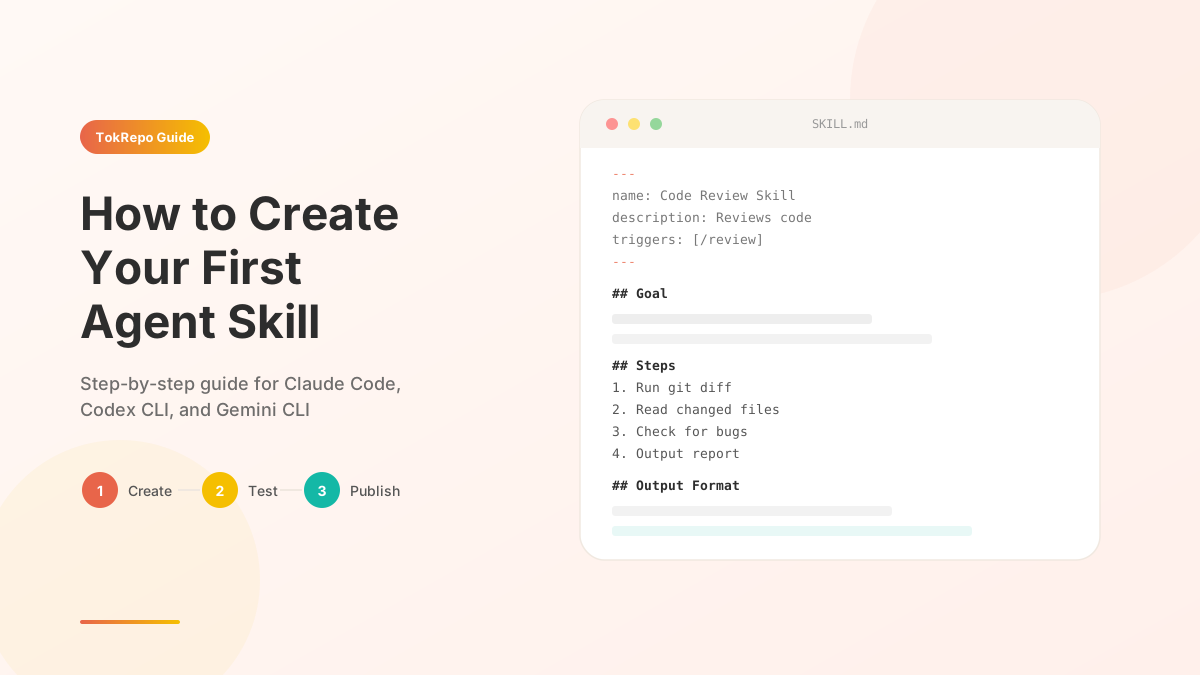
Every good skill starts with clear metadata in a YAML frontmatter block:
---
name: Code Review Skill
description: Performs adversarial code review on changed files
triggers:
  - /code-review
  - "review my code"
  - "check for bugs"
---
The key fields:
| Field | Purpose | Example |
|---|---|---|
name | Human-readable skill name | "Code Review Skill" |
description | What the skill does (shown in listings) | "Performs adversarial code review" |
triggers | When to activate (slash commands or natural language) | /code-review, "review my code" |
Step 3: Write the Instructions
The body of your SKILL.md is the actual prompt. Write it as clear instructions for the AI agent:
## Goal

Review all changed files in the current branch for bugs, security issues,
and code quality problems.

## Steps

1. Run `git diff --name-only HEAD~1` to find changed files
2. Read each changed file completely
3. For each file, check for:
   - Logic errors and edge cases
   - Security vulnerabilities (injection, auth bypass, etc.)
   - Performance issues (N+1 queries, unnecessary loops)
   - Code style violations
4. Output a structured report with severity levels

## Output Format

For each issue found:
- **File**: path/to/file.ts
- **Line**: 42
- **Severity**: 🔴 High | 🟡 Medium | 🟢 Low
- **Issue**: Description of the problem
- **Fix**: Suggested fix
Tips for Great Instructions
- Be specific — "Check for SQL injection in all database queries" beats "look for security issues"
- Use numbered steps — agents follow ordered lists more reliably than paragraphs
- Include examples — show the expected output format
- Set boundaries — tell the agent what NOT to do (e.g., "Do not modify any files, only report")
Step 4: Test Locally
Test your skill by invoking it in your AI agent:
In Claude Code:
# If placed in .claude/commands/code-review.md
claude /code-review

# If placed as SKILL.md in project root
claude "use the code review skill"
In Codex CLI:
codex "review my code using the skill in SKILL.md"
Iterate on the instructions based on the results. Common adjustments:
- Add more specific examples if the output format is wrong
- Add constraints if the agent is doing too much or too little
- Add error handling instructions for edge cases
Step 5: Publish to TokRepo
Once your skill works well locally, share it with the community:
# Install TokRepo CLI
npm install -g tokrepo

# Login with your API key
tokrepo login

# Push your skill
tokrepo push my-skill.skill.md --public
Your skill is now searchable and installable by anyone:
# Others can find and install it
tokrepo search "code review"
tokrepo install your-skill-name
FAQ
Can I use images or diagrams in my skill?
Yes, but most AI agents process skills as text only. Images are useful for documentation on TokRepo but won't be "seen" by the agent during execution.
How long should a skill be?
Most effective skills are 200-500 lines. Too short and the agent lacks context; too long and it may lose focus. If your skill exceeds 1000 lines, consider splitting it into multiple skills.
Can skills call other skills?
Not directly, but you can reference other skills in your instructions: "If you need to run tests, follow the testing skill at .claude/commands/test.md". The agent will read and follow those instructions.
What's the difference between SKILL.md and AGENTS.md?
SKILL.md is a single-purpose skill file. AGENTS.md is a project-level file that describes the overall project context and available capabilities. You can reference skills from within AGENTS.md.
How do I update a published skill?
# Update by UUID
tokrepo update <uuid> my-skill.skill.md

# Or re-run push from the skill directory (push is idempotent — unchanged files are skipped)
tokrepo push .
Related Skills on TokRepo
Explore these popular skills for inspiration:
Frequently Asked Questions
What is an agent skill and how is it different from an MCP server?+
An agent skill is a Markdown file that teaches an AI coding agent how to perform a specific task. Unlike MCP servers (which require running code) or custom rules (simple text constraints), skills encode complex workflows as plain Markdown — anyone can create one without programming knowledge, just by writing clear instructions.
Where should I place a SKILL.md file?+
For Claude Code, place it in .claude/commands/my-skill.md (becomes the /my-skill slash command) or as SKILL.md in the project root (auto-discovered). For Codex CLI, merge content into AGENTS.md. For Gemini CLI use GEMINI.md. TokRepo recognizes *.skill.md for publishing.
How long should an agent skill be?+
Most effective skills are 200-500 lines. Too short and the agent lacks context; too long and it may lose focus. If your skill exceeds 1,000 lines, split it into multiple focused skills. Keep descriptions under 120 characters since they're used as summaries in search listings.
How do I publish a skill to TokRepo?+
Install the CLI with npm install -g tokrepo, run tokrepo login with your API key, then tokrepo push my-skill.skill.md --public. Your skill becomes searchable and others can install it with tokrepo install your-skill-name. Update later with tokrepo update <uuid> or re-run tokrepo push (idempotent — unchanged files are skipped).
Can skills call other skills?+
Not directly, but you can reference other skills in your instructions — for example, "If you need to run tests, follow the testing skill at .claude/commands/test.md". The agent will read and follow those referenced instructions, effectively chaining skills together within a single session.