How to Set Up Shared Agent Skills for Your Development Team
Learn three methods to standardize your team's AI coding workflow with shared agent skills — Git repos, TokRepo collections, and self-hosted registries.
%20by%20%E2%80%9ELisa%20Wischofsky%E2%80%9D%2C%20licensed%20under%20%E2%80%9ECC0%201.0%E2%80%9D%20(https%3A%2F%2Fcreativecommons.org%2Fpublicdomain%2Fzero%2F1.0%2F)%3C%2Fdc%3Arights%3E%3C%2Frdf%3ADescription%3E%3C%2Frdf%3ARDF%3E%3C%2Fmetadata%3E%3Cmask%20id%3D%22viewboxMask%22%3E%3Crect%20width%3D%22980%22%20height%3D%22980%22%20rx%3D%22490%22%20ry%3D%22490%22%20x%3D%220%22%20y%3D%220%22%20fill%3D%22%23fff%22%20%2F%3E%3C%2Fmask%3E%3Cg%20mask%3D%22url(%23viewboxMask)%22%3E%3Crect%20fill%3D%22url(%23backgroundLinear)%22%20width%3D%22980%22%20height%3D%22980%22%20x%3D%220%22%20y%3D%220%22%20%2F%3E%3Cdefs%3E%3ClinearGradient%20id%3D%22backgroundLinear%22%20gradientTransform%3D%22rotate(28%200.5%200.5)%22%3E%3Cstop%20stop-color%3D%22%23FFEDD5%22%2F%3E%3Cstop%20offset%3D%221%22%20stop-color%3D%22%23FFCCB6%22%2F%3E%3C%2FlinearGradient%3E%3C%2Fdefs%3E%3Cg%20transform%3D%22translate(10%20-60)%22%3E%3Cpath%20d%3D%22M632%20187c17%209%2033%2022%2041%2040%209%2017%2010%2035%207%2053%2015%2014%2022%2034%2024%2054%201%209%202%2020-2%2030-1%203-3%208-7%2011l-4%201-10-8c-9-12-16-24-23-37-7%2010-17%2019-28%2024l-6-3c-9-5-14-17-23-21l-5%2018c-1%203-3%206-6%206-6-1-12-3-17-6-22-10-45-20-69-27%202%206%203%2012%201%2018%200%202-2%204-4%206h-14a188%20188%200%200%200-69%200c-6%201-12%205-19%207l-48%2020-12%2026c-5%2012-9%2025-12%2037-1%203-2%207-1%2010%202%204%207%205%209%209v5c-4%2010-6%2022-7%2033-3%2016-3%2033-3%2049v21c0%203-3%206-7%206-4%201-8%200-12-2l19%2014c3%202%205%204%205%208-1%202-4%203-6%204%203%201%205%202%206%205%202%203%201%206-2%208-5%203-12%201-16-2-2-3-5-7-5-11%201-2%203-2%205-3-6-3-10-7-15-11-11-9-25-15-37-22l-11-7-4-7a322%20322%200%200%201-24-121c1-20%205-41%2011-61%205-13%2011-26%2020-36%207-10%2016-18%2028-22-3-10-4-20%200-29%204-15%2015-27%2029-35%2018-10%2037-16%2057-20%2027-5%2056-8%2083-12%2026-4%2052-11%2078-18%2019-5%2038-10%2058-11%2016%200%2032%202%2047%209Z%22%20fill%3D%22%23000000%22%2F%3E%3Cpath%20d%3D%22M495%20234c28%201%2056%206%2084%2015a201%20201%200%200%201%20100%2065c19%2025%2031%2055%2035%2086a361%20361%200%200%201%202%20101l-5%2034-4%2020c-1%202-1%202-3%202-2-4-2-8-2-12-1-15%201-29%202-44%201-24%203-48%201-72l-6-45c-7-28-20-54-40-75-18-18-40-33-63-43-22-9-44-15-67-19-18-3-36-4-54-4a277%20277%200%200%200-128%2029c-13%209-25%2020-35%2032a276%20276%200%200%200-55%20139c-1%2024%200%2047%208%2070l7%2015%2012%201%201%203c-3%202-7%202-11%203-10%202-20%206-29%2012-7%205-14%2011-18%2019-5%2010-3%2022-1%2033%205%2019%2017%2037%2033%2049%2011%209%2025%2014%2039%2016%2010%202%2020%200%2030-1%205%204%208%2012%2011%2017l18%2027a136%20136%200%200%200%2066%2050c22%209%2045%2014%2068%2019l41%208%2017%205v4h-12a535%20535%200%200%201-67-8%20255%20255%200%200%201-84-33c-11-7-21-16-29-27a214%20214%200%200%201-16%20123c-15%2027-40%2048-70%2057-3%201-7%202-10%201-2%200-2-1-2-3%201-3%204-5%206-6%2012-8%2026-14%2038-23%2013-11%2024-23%2031-38%206-15%2010-32%2012-49%202-13%203-26%202-40l-4-38-18-36-19%204a88%2088%200%200%201-75-38%2093%2093%200%200%201-20-58c0-9%203-18%208-25s12-13%2019-17c5-4%2012-6%2018-8l-9-24c-5-22-5-45-2-67a292%20292%200%200%201%2063-149c9-10%2018-19%2029-26%207-4%2014-5%2020-9%2043-19%2090-25%20137-22Z%22%20fill%3D%22%23000%22%2F%3E%3Cpath%20d%3D%22M475%20243a276%20276%200%200%201%20121%2023c23%2010%2045%2025%2063%2043%2020%2021%2033%2047%2040%2075l6%2045c2%2024%200%2048-1%2072-1%2015-3%2029-2%2044%200%204%200%208%202%2012l-1%2020c-2%205-2%2010-2%2016-2%2024-2%2049-6%2074-1%2012-3%2025-8%2036-3%209-8%2017-15%2024-12%2013-27%2024-43%2033-19%2011-39%2016-58%2024-5%202-10%204-13%208%208%201%2015%200%2023-2-5%2012-6%2024-6%2036%200%205-1%2011%201%2016%203%205%208%209%2013%2012l35%2013c22%208%2043%2018%2065%2027%202%204%205%207%206%2012%206%2011%207%2023%203%2035-5%2013-15%2024-27%2031-16%2011-36%2019-55%2024a494%20494%200%200%201-235-7c-20-7-40-14-58-24-14-8-29-18-40-31-6-8-11-19-12-29a122%20122%200%200%200%2086-107c4-24%204-49%200-73%208%2011%2018%2020%2029%2027l27%2014a331%20331%200%200%200%20124%2027h12v-4l-17-5-41-8c-23-5-46-10-68-19-13-6-27-13-39-21-10-9-19-18-27-29l-18-27c-3-5-6-13-11-17-10%201-20%203-30%201-14-2-28-7-39-16a94%2094%200%200%201-33-49c-2-11-4-23%201-33%204-8%2011-14%2018-19%209-6%2019-10%2029-12%204-1%208-1%2011-3l-1-3-12-1-7-15c-8-23-9-46-7-70a276%20276%200%200%201%2054-139c10-12%2022-23%2035-32a277%20277%200%200%201%20128-30Z%22%20fill%3D%22%23ffffff%22%2F%3E%3Cpath%20d%3D%22M260%20571c4%200%207%200%2011%202%205%201%2011%204%2014%208%202%203%202%207%200%2010-5%206-12%2010-16%2016%206%204%2014%206%2021%209%204%201%208%203%2011%206l1%203-8-2-24-7c-4-1-8-3-9-7-1-3%201-7%203-10l15-13c-4-7-15-8-19-15ZM703%20577l2%203%202%2016a483%20483%200%200%201-2%2089c-2%2011-5%2023-10%2033a198%20198%200%200%201-106%2071c-1%2014-3%2031-2%2047l5%205c8%206%2018%209%2027%2012a451%20451%200%200%201%2068%2028c7%204%2013%209%2018%2015-5%201-10-1-16-2-22-9-43-19-65-27l-35-13c-5-3-10-7-13-12-2-5-1-11-1-16%200-12%201-24%206-36-8%202-15%203-23%202%203-4%208-6%2013-8%2019-8%2039-13%2058-24%2016-9%2031-20%2043-33%207-7%2012-15%2015-24%205-11%207-24%208-36%204-25%204-50%206-74%200-6%200-11%202-16Z%22%20fill%3D%22%23000%22%2F%3E%3Cpath%20d%3D%22m693%20510-2%207c-3%205-6%209-11%2012s-11%204-17%205l-18%202c-5%200-8%203-10%206l-7%207c-2%201-5-1-4-3%201-8%207-14%2011-20%203-3%207-7%2012-7l30-5c5-1%2010-4%2016-4ZM388%20514c12-1%2021%203%2032%204%2015%202%2030%204%2045%204l24%202c8%201%2017%200%2024%204s12%2010%2016%2016c1%202%202%204%200%207-1%201-3%200-4-1-4-2-7-6-11-7l-12-1-28-1-22-1c-10-1-20-1-30-5-7-2-12-6-19-9l-12-9c-2-1-3-1-3-3Z%22%20fill%3D%22%23000000%22%2F%3E%3Cpath%20d%3D%22M492%20386c7%200%2013%200%2019%202%208%202%2015%205%2018%2013%204%207%204%2014%202%2022-1%204-4%207-9%208-8%203-17%201-26-1-7-1-15-3-22-6-6-3-12-8-13-14-2-6%202-13%207-16%207-6%2016-7%2024-8ZM658%20388c5%201%209%204%2011%209%202%203%201%208%200%2011-1%204-5%208-8%2010-5%205-11%206-18%208-5%201-12%203-18%201-2-1-6-4-7-7-3-11%203-25%2014-30%208-4%2017-4%2026-2Z%22%20fill%3D%22%23000000%22%2F%3E%3Cpath%20d%3D%22M293%20643c3-2%207-1%209%201%203%202%204%206%203%2010-2%204-7%207-12%205-3-1-5-5-4-8%200-4%201-7%204-8Z%22%20fill%3D%22%23000000%22%2F%3E%3Cpath%20d%3D%22M594%20572a37%2037%200%200%201%2019%2029c0%209-5%2018-13%2022l-17%207c-4%201-6%202-9%200-2-3-1-4%201-6%206-5%2015-7%2021-12%203-2%205-5%205-9%200-10-5-17-7-26v-5Z%22%20fill%3D%22%23000000%22%2F%3E%3Cpath%20fill-rule%3D%22evenodd%22%20clip-rule%3D%22evenodd%22%20d%3D%22M438%20634c-4%206-11%2011-19%2013%200-4%203-7%206-9%204-3%208-5%2013-4Zm14%2012%2032%205%2024%206c15%204%2029%208%2044%2010%2010%201%2020%200%2029-1%2012-2%2023-4%2036-1%206%202%2011%206%2015%2011%203%205%204%2010%202%2016s-7%2013-13%2017c-7%205-15%206-24%207l-30%203-29-2-21-5-10-3-12-3-14-4-23-8-17-10c-7-5-10-15-8-23%202-9%2010-15%2019-15Zm4%209-9%201c-4%201-7%204-8%208%200%203%202%206%203%208v1l8%208%204%202c0-9%200-19%204-27l-2-1Zm9%202a703%20703%200%200%201%2040%2010c-2%2011-5%2022-4%2033l-22-6-14-5-4-2%204-17v-13Zm87%2020c-14-1-27-5-41-8a46%2046%200%200%201-1%2018c-1%205-2%2010-5%2014l9%202%2013%204%2017%203%205%201c-3-10%200-21%202-30l1-4Zm54-5c4%200%208%200%2012%202%203%201%206%205%208%208%201%202%202%205%201%208-3%205-7%2010-12%2013s-10%204-16%205l-2%201%207-18%202-19Zm-13%2025%205-25-15%203-23%202c0%2010-2%2019-5%2029l-2%205a135%20135%200%200%200%2035-1l4-1%201-12Z%22%20fill%3D%22%23000000%22%2F%3E%3Cpath%20d%3D%22M617%20181c12%204%2024%2010%2034%2018%2012%2010%2022%2023%2027%2038a105%20105%200%200%201-16%2090c-8%2011-19%2022-32%2028-8-2-12-7-17-13-3-4-7-9-12-11l-4%2016c-1%202-2%206-5%207-2%203-7%200-10-1l-36-16-42-15c2%206%202%2012%201%2018%200%202-2%204-4%206h-14c-14-3-29-4-43-3-23%201-46%208-69%2013l-18%201-11%2027c-8%2017-14%2034-19%2052-1%203-2%207-1%2010%202%204%207%205%209%208v5c-4%2010-6%2021-7%2032-3%2018-3%2036-3%2055v17c0%203-4%206-7%206-4%201-8%200-12-2l20%2014c2%202%204%205%204%208-1%202-4%203-6%204%203%201%207%203%207%207s-3%206-6%207c-7%202-16-4-18-12%200-3%201-5%205-5-8-4-14-10-18-17-3-4-5-9-5-14%201-2%204%200%206%200-7-6-14-13-19-20-1-3-4-3-6-3l-24-6c-2-1-6-1-7-4l-5-17-8-43a370%20370%200%200%201-1-71l7-31a118%20118%200%200%201%2049-59c-4-10-5-19-2-29%204-15%2014-27%2028-35%2017-11%2037-17%2057-21%2028-6%2057-9%2085-13%2026-4%2051-10%2076-17l36-9c19-3%2037-4%2056%200Z%22%20fill%3D%22%23000000%22%2F%3E%3C%2Fg%3E%3Cg%20transform%3D%22translate(10%20-60)%22%3E%3C%2Fg%3E%3C%2Fg%3E%3C%2Fsvg%3E)
William Wang — Founder of TokRepo & GEOScore AI. Building tools for AI developer productivity and search visibility.
Quick Answer
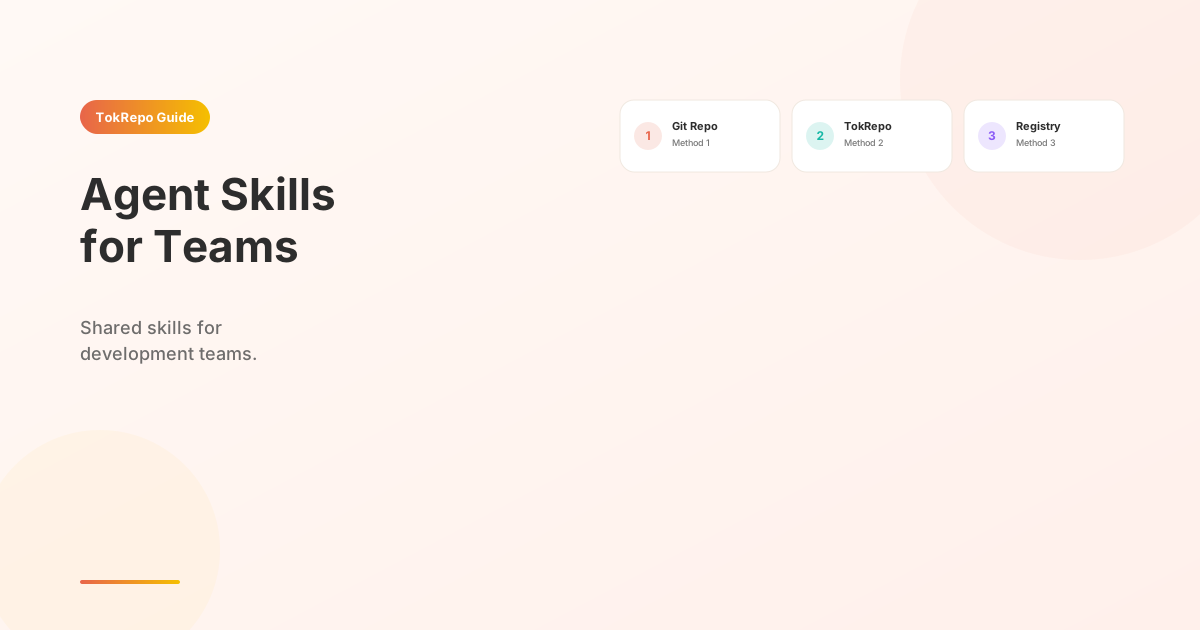
Set up shared agent skills for your development team by committing skill Markdown files to your project's .claude/commands/ directory (Method 1: Git), using TokRepo install scripts for cross-repo distribution (Method 2), or self-hosting an internal skill registry with validation and CI/CD sync (Method 3) — standardizing code review, debugging, and onboarding across every team member.
Learn how to standardize your team's AI coding workflow with shared agent skills. Whether you have 3 developers or 30, this guide covers three proven methods to distribute, version, and maintain skills across your entire organization — so every team member gets the same Claude Code superpowers from day one.
Prerequisites
- Claude Code installed (v2.1+)
- A team Git repository
- Basic familiarity with agent skills and the terminal
Why Teams Need Shared Skills
When every developer writes their own prompts, you get inconsistency. One person's "refactor this" produces entirely different results from another's. Shared skills solve three problems:
Consistency. Every team member gets the same code review standards, the same debugging methodology, and the same commit message format. The skill file is the single source of truth.
# .claude/commands/code-review.md
# Every developer on your team runs the same review checklist
# — no more "I forgot to check for SQL injection"
Onboarding. A new hire clones the repo, and they instantly have every skill the team has built over the past year. No tribal knowledge lost.
git clone git@github.com:your-org/your-app.git
cd your-app
# Skills are already in .claude/commands/ — ready to use
claude
Code review standards. When the skill defines what "good code" looks like, PR reviews become objective. The AI applies the same standards to every diff.
If you're new to skills altogether, start with How to Create Your First Agent Skill before continuing here. For understanding how skills compare to MCP servers, see Skills vs MCP vs Rules.
Method 1: Git Repository
The simplest approach — commit skill files directly to your project repo.
Directory Structure
your-project/
├── .claude/
│   └── commands/
│       ├── code-review.md
│       ├── pr-description.md
│       ├── debug-production.md
│       ├── deploy-checklist.md
│       └── write-tests.md
├── src/
└── package.json
How It Works
Claude Code automatically discovers all .md files in .claude/commands/. When a team member clones the repo, the skills come with it.
# Create the skills directory
mkdir -p .claude/commands

# Create a team code review skill
cat > .claude/commands/code-review.md << 'EOF'
---
name: Team Code Review
description: Run our team's standard code review checklist
---

Review the staged changes against our team standards:

1. **Security**: No hardcoded secrets, SQL injection, XSS vectors
2. **Performance**: No N+1 queries, unnecessary re-renders, or unbounded loops
3. **Testing**: Every new function has at least one test
4. **Naming**: Variables and functions follow our conventions (camelCase for JS, snake_case for Python)
5. **Documentation**: Public APIs have JSDoc/docstrings

Output a markdown checklist with pass/fail for each item.
EOF
Version Control Benefits
# Track skill changes in your regular git workflow
git add .claude/commands/code-review.md
git commit -m "feat: add team code review skill with security checklist"

# Review skill changes in PRs just like code changes
git diff main -- .claude/commands/
Pros: Zero setup, version controlled, works offline, team reviews skill changes in PRs.
Cons: Skills are per-project. If your org has 20 repos, you need to sync skills across all of them.
Method 2: TokRepo Collections
TokRepo lets you create a collection of skills that your entire team can install with a single command. This is ideal for organizations with multiple repositories.
Step 1: Curate Your Team Collection
Browse TokRepo's skill library and pick the skills your team needs. You can also create custom skills and publish them.
Step 2: Create an Install Script
#!/bin/bash
# team-skills-install.sh
# Run this in any project to set up team skills

echo "Installing team skills from TokRepo..."

# Project management
tokrepo install e108cf5c-c34e-4d27-a694-66a693301e87  # GSD

# Debugging
tokrepo install 78ed006e-b022-4e92-bf65-df8b53afd2f4  # Systematic Debugging

# SEO (for frontend projects)
tokrepo install cb068086-1c7d-408e-90a1-c39cfc6ffe87  # Claude SEO

# Skill creation (for senior devs)
tokrepo install 0b7c0a41-97e1-4187-9cc5-4dc32d91a9cd  # Skill Creator

# Planning
tokrepo install 034be597-c361-45a2-b143-41cce0ec8ad8  # Planning

echo "Done. Run 'claude' to start using skills."
Step 3: Share With Your Team
# Add the install script to your org's shared repo
chmod +x team-skills-install.sh

# New team members run one command
./team-skills-install.sh
Pros: Centralized management, one-command install, skills auto-update, works across repos.
Cons: Requires internet access for initial install, team members need TokRepo CLI.
Method 3: Custom Skill Registry
For larger organizations that need full control, self-host a skill registry on your internal infrastructure.
Architecture
┌─────────────────┐     ┌──────────────────┐     ┌─────────────┐
│  Skill Authors   │────▶│  Internal Git     │────▶│  Developer   │
│  (Senior Devs)   │     │  Registry Repo    │     │  Machines    │
└─────────────────┘     └──────────────────┘     └─────────────┘
                              │
                              ▼
                        ┌──────────────────┐
                        │  CI/CD Pipeline   │
                        │  (validate &      │
                        │   distribute)     │
                        └──────────────────┘
Implementation
# internal-skill-registry/
# ├── skills/
# │   ├── code-review.md
# │   ├── deploy-checklist.md
# │   └── incident-response.md
# ├── validate.sh          # Lint skill frontmatter
# ├── distribute.sh        # Push to all project repos
# └── README.md

# validate.sh — ensure every skill has required frontmatter
#!/bin/bash
for skill in skills/*.md; do
  if ! grep -q "^name:" "$skill"; then
    echo "ERROR: $skill missing 'name' field"
    exit 1
  fi
done
echo "All skills valid."
# distribute.sh — sync skills to all team repos
#!/bin/bash
REPOS=("app-frontend" "app-backend" "app-mobile" "shared-lib")

for repo in "${REPOS[@]}"; do
  echo "Syncing skills to $repo..."
  cp -r skills/ "../$repo/.claude/commands/"
done
Pros: Full control, works behind firewalls, custom validation, audit trail.
Cons: Maintenance overhead, need to build tooling, no community skills.
Recommended Team Skill Stack
Based on real team deployments, here are five skills every development team should install:
1. Get Shit Done (GSD)
The project management backbone. Breaks work into milestones and phases with persistent tracking.
tokrepo install e108cf5c-c34e-4d27-a694-66a693301e87
2. Systematic Debugging
Structured 4-phase debugging: reproduce, isolate, diagnose, fix. Prevents random trial-and-error.
tokrepo install 78ed006e-b022-4e92-bf65-df8b53afd2f4
3. Claude SEO
Comprehensive SEO audits — keyword research, on-page analysis, technical checks.
tokrepo install cb068086-1c7d-408e-90a1-c39cfc6ffe87
4. Skill Creator
Meta-skill for building team-specific skills. Senior devs use this to package tribal knowledge.
tokrepo install 0b7c0a41-97e1-4187-9cc5-4dc32d91a9cd
5. Planning with Files
Persistent planning that survives across Claude Code sessions. Essential for multi-day tasks.
tokrepo install 034be597-c361-45a2-b143-41cce0ec8ad8
Case Study: 5-Person Team Setup
Here's how a real 5-person startup team standardized their Claude Code workflow in one afternoon.
The Team
| Role | Name | Focus |
|---|---|---|
| Tech Lead | Sarah | Architecture, code review |
| Frontend | Jake | React, Next.js |
| Backend | Mira | Go, PostgreSQL |
| Full-Stack | Alex | Features, integrations |
| Junior Dev | Tom | Bug fixes, tests |
Step 1: Tech Lead Creates the Skill Set (30 min)
Sarah identified the team's top 5 pain points and mapped each to a skill:
# Sarah's laptop
mkdir -p .claude/commands

# 1. Install community skills
tokrepo install e108cf5c-c34e-4d27-a694-66a693301e87  # GSD
tokrepo install 78ed006e-b022-4e92-bf65-df8b53afd2f4  # Systematic Debugging
tokrepo install 034be597-c361-45a2-b143-41cce0ec8ad8  # Planning

# 2. Create team-specific skills
cat > .claude/commands/our-pr-review.md << 'EOF'
---
name: PR Review (Team Standard)
description: Review code against our team's 12-point checklist
---
Review the current diff. Check for:
1. No console.log in production code
2. All API endpoints have rate limiting
3. Database queries use parameterized statements
4. React components have error boundaries
5. Go functions return errors (no panic)
...
EOF
Step 2: Team Installs Skills (5 min each)
# Each team member runs:
git pull origin main
# Skills are already in .claude/commands/ — done.
Step 3: Measure the Impact (2 weeks later)
| Metric | Before Skills | After Skills | Change |
|---|---|---|---|
| PR review time | 45 min | 15 min | -67% |
| Bug escape rate | 3/week | 1/week | -67% |
| Onboarding time | 2 weeks | 3 days | -79% |
| Code style violations | 12/PR | 2/PR | -83% |
The junior developer (Tom) benefited the most — the debugging skill taught him a systematic approach he hadn't learned yet, and the PR review skill caught issues before senior devs had to review.
FAQ
How do I handle skill conflicts between team members?
Use Git's normal merge workflow. If two people edit the same skill, resolve the conflict in a PR review. For community skills installed via TokRepo, pin to a specific version by keeping a copy in .claude/commands/ rather than relying on auto-updates.
Can I restrict which skills team members can install?
Not natively. However, with Method 3 (custom registry), you can implement an allowlist. For Method 1 (Git repo), use a pre-commit hook that rejects unknown .md files in .claude/commands/:
# .husky/pre-commit
ALLOWED_SKILLS="code-review.md pr-description.md debug-production.md"
for file in $(git diff --cached --name-only -- .claude/commands/); do
  basename=$(basename "$file")
  if ! echo "$ALLOWED_SKILLS" | grep -q "$basename"; then
    echo "ERROR: Unapproved skill: $basename"
    exit 1
  fi
done
Do skills work the same for every team member?
Yes, given the same skill file and the same Claude Code version. The skill defines the behavior; the model follows it deterministically. Minor variation can occur based on Claude model version, but the structure and checklist items remain consistent.
Next Steps
- How to Create Your First Agent Skill — build custom skills for your team
- 15 Best Claude Code Skills — browse our curated top picks
- Skills vs MCP vs Rules — understand which extension type fits team workflows
- Browse TokRepo Collections — discover 500+ ready-to-install skills
Frequently Asked Questions
How do I handle skill conflicts between team members?+
Use Git's normal merge workflow — if two people edit the same skill, resolve the conflict in a PR review like any other file. For community skills installed via TokRepo, pin to a specific version by keeping a copy in .claude/commands/ instead of relying on auto-updates.
Can I restrict which skills team members can install?+
Not natively in Claude Code, but with Method 3 (custom registry) you can implement an allowlist. For Method 1 (Git repo), add a pre-commit hook (e.g., .husky/pre-commit) that rejects unknown .md files in .claude/commands/ based on an ALLOWED_SKILLS list.
What's the fastest way to onboard a new developer to our team skills?+
With Method 1, new hires just run git clone and skills in .claude/commands/ are immediately available when they start Claude Code. Teams report onboarding dropped from 2 weeks to 3 days after standardizing on shared skills like GSD, Systematic Debugging, and Planning with Files.
Do shared skills work the same for every team member?+
Yes, given the same skill file and Claude Code version — the skill defines deterministic behavior and the model follows its checklist items. Minor variation can occur across Claude model versions, but structure and checks remain consistent across the entire team.
Which skills should every dev team install first?+
Install GSD (project management), Systematic Debugging (4-phase root cause), Planning with Files (cross-session memory), Skill Creator (for building team-specific skills), and Claude SEO. These five cover planning, debugging, persistence, customization, and launch quality.