15 Best Claude Code Skills in 2026 — Tested & Ranked
Curated list of the 15 best agent skills for Claude Code. Each skill tested on real projects with install commands and usage examples.
%20by%20%E2%80%9ELisa%20Wischofsky%E2%80%9D%2C%20licensed%20under%20%E2%80%9ECC0%201.0%E2%80%9D%20(https%3A%2F%2Fcreativecommons.org%2Fpublicdomain%2Fzero%2F1.0%2F)%3C%2Fdc%3Arights%3E%3C%2Frdf%3ADescription%3E%3C%2Frdf%3ARDF%3E%3C%2Fmetadata%3E%3Cmask%20id%3D%22viewboxMask%22%3E%3Crect%20width%3D%22980%22%20height%3D%22980%22%20rx%3D%22490%22%20ry%3D%22490%22%20x%3D%220%22%20y%3D%220%22%20fill%3D%22%23fff%22%20%2F%3E%3C%2Fmask%3E%3Cg%20mask%3D%22url(%23viewboxMask)%22%3E%3Crect%20fill%3D%22url(%23backgroundLinear)%22%20width%3D%22980%22%20height%3D%22980%22%20x%3D%220%22%20y%3D%220%22%20%2F%3E%3Cdefs%3E%3ClinearGradient%20id%3D%22backgroundLinear%22%20gradientTransform%3D%22rotate(28%200.5%200.5)%22%3E%3Cstop%20stop-color%3D%22%23FFEDD5%22%2F%3E%3Cstop%20offset%3D%221%22%20stop-color%3D%22%23FFCCB6%22%2F%3E%3C%2FlinearGradient%3E%3C%2Fdefs%3E%3Cg%20transform%3D%22translate(10%20-60)%22%3E%3Cpath%20d%3D%22M632%20187c17%209%2033%2022%2041%2040%209%2017%2010%2035%207%2053%2015%2014%2022%2034%2024%2054%201%209%202%2020-2%2030-1%203-3%208-7%2011l-4%201-10-8c-9-12-16-24-23-37-7%2010-17%2019-28%2024l-6-3c-9-5-14-17-23-21l-5%2018c-1%203-3%206-6%206-6-1-12-3-17-6-22-10-45-20-69-27%202%206%203%2012%201%2018%200%202-2%204-4%206h-14a188%20188%200%200%200-69%200c-6%201-12%205-19%207l-48%2020-12%2026c-5%2012-9%2025-12%2037-1%203-2%207-1%2010%202%204%207%205%209%209v5c-4%2010-6%2022-7%2033-3%2016-3%2033-3%2049v21c0%203-3%206-7%206-4%201-8%200-12-2l19%2014c3%202%205%204%205%208-1%202-4%203-6%204%203%201%205%202%206%205%202%203%201%206-2%208-5%203-12%201-16-2-2-3-5-7-5-11%201-2%203-2%205-3-6-3-10-7-15-11-11-9-25-15-37-22l-11-7-4-7a322%20322%200%200%201-24-121c1-20%205-41%2011-61%205-13%2011-26%2020-36%207-10%2016-18%2028-22-3-10-4-20%200-29%204-15%2015-27%2029-35%2018-10%2037-16%2057-20%2027-5%2056-8%2083-12%2026-4%2052-11%2078-18%2019-5%2038-10%2058-11%2016%200%2032%202%2047%209Z%22%20fill%3D%22%23000000%22%2F%3E%3Cpath%20d%3D%22M495%20234c28%201%2056%206%2084%2015a201%20201%200%200%201%20100%2065c19%2025%2031%2055%2035%2086a361%20361%200%200%201%202%20101l-5%2034-4%2020c-1%202-1%202-3%202-2-4-2-8-2-12-1-15%201-29%202-44%201-24%203-48%201-72l-6-45c-7-28-20-54-40-75-18-18-40-33-63-43-22-9-44-15-67-19-18-3-36-4-54-4a277%20277%200%200%200-128%2029c-13%209-25%2020-35%2032a276%20276%200%200%200-55%20139c-1%2024%200%2047%208%2070l7%2015%2012%201%201%203c-3%202-7%202-11%203-10%202-20%206-29%2012-7%205-14%2011-18%2019-5%2010-3%2022-1%2033%205%2019%2017%2037%2033%2049%2011%209%2025%2014%2039%2016%2010%202%2020%200%2030-1%205%204%208%2012%2011%2017l18%2027a136%20136%200%200%200%2066%2050c22%209%2045%2014%2068%2019l41%208%2017%205v4h-12a535%20535%200%200%201-67-8%20255%20255%200%200%201-84-33c-11-7-21-16-29-27a214%20214%200%200%201-16%20123c-15%2027-40%2048-70%2057-3%201-7%202-10%201-2%200-2-1-2-3%201-3%204-5%206-6%2012-8%2026-14%2038-23%2013-11%2024-23%2031-38%206-15%2010-32%2012-49%202-13%203-26%202-40l-4-38-18-36-19%204a88%2088%200%200%201-75-38%2093%2093%200%200%201-20-58c0-9%203-18%208-25s12-13%2019-17c5-4%2012-6%2018-8l-9-24c-5-22-5-45-2-67a292%20292%200%200%201%2063-149c9-10%2018-19%2029-26%207-4%2014-5%2020-9%2043-19%2090-25%20137-22Z%22%20fill%3D%22%23000%22%2F%3E%3Cpath%20d%3D%22M475%20243a276%20276%200%200%201%20121%2023c23%2010%2045%2025%2063%2043%2020%2021%2033%2047%2040%2075l6%2045c2%2024%200%2048-1%2072-1%2015-3%2029-2%2044%200%204%200%208%202%2012l-1%2020c-2%205-2%2010-2%2016-2%2024-2%2049-6%2074-1%2012-3%2025-8%2036-3%209-8%2017-15%2024-12%2013-27%2024-43%2033-19%2011-39%2016-58%2024-5%202-10%204-13%208%208%201%2015%200%2023-2-5%2012-6%2024-6%2036%200%205-1%2011%201%2016%203%205%208%209%2013%2012l35%2013c22%208%2043%2018%2065%2027%202%204%205%207%206%2012%206%2011%207%2023%203%2035-5%2013-15%2024-27%2031-16%2011-36%2019-55%2024a494%20494%200%200%201-235-7c-20-7-40-14-58-24-14-8-29-18-40-31-6-8-11-19-12-29a122%20122%200%200%200%2086-107c4-24%204-49%200-73%208%2011%2018%2020%2029%2027l27%2014a331%20331%200%200%200%20124%2027h12v-4l-17-5-41-8c-23-5-46-10-68-19-13-6-27-13-39-21-10-9-19-18-27-29l-18-27c-3-5-6-13-11-17-10%201-20%203-30%201-14-2-28-7-39-16a94%2094%200%200%201-33-49c-2-11-4-23%201-33%204-8%2011-14%2018-19%209-6%2019-10%2029-12%204-1%208-1%2011-3l-1-3-12-1-7-15c-8-23-9-46-7-70a276%20276%200%200%201%2054-139c10-12%2022-23%2035-32a277%20277%200%200%201%20128-30Z%22%20fill%3D%22%23ffffff%22%2F%3E%3Cpath%20d%3D%22M260%20571c4%200%207%200%2011%202%205%201%2011%204%2014%208%202%203%202%207%200%2010-5%206-12%2010-16%2016%206%204%2014%206%2021%209%204%201%208%203%2011%206l1%203-8-2-24-7c-4-1-8-3-9-7-1-3%201-7%203-10l15-13c-4-7-15-8-19-15ZM703%20577l2%203%202%2016a483%20483%200%200%201-2%2089c-2%2011-5%2023-10%2033a198%20198%200%200%201-106%2071c-1%2014-3%2031-2%2047l5%205c8%206%2018%209%2027%2012a451%20451%200%200%201%2068%2028c7%204%2013%209%2018%2015-5%201-10-1-16-2-22-9-43-19-65-27l-35-13c-5-3-10-7-13-12-2-5-1-11-1-16%200-12%201-24%206-36-8%202-15%203-23%202%203-4%208-6%2013-8%2019-8%2039-13%2058-24%2016-9%2031-20%2043-33%207-7%2012-15%2015-24%205-11%207-24%208-36%204-25%204-50%206-74%200-6%200-11%202-16Z%22%20fill%3D%22%23000%22%2F%3E%3Cpath%20d%3D%22m693%20510-2%207c-3%205-6%209-11%2012s-11%204-17%205l-18%202c-5%200-8%203-10%206l-7%207c-2%201-5-1-4-3%201-8%207-14%2011-20%203-3%207-7%2012-7l30-5c5-1%2010-4%2016-4ZM388%20514c12-1%2021%203%2032%204%2015%202%2030%204%2045%204l24%202c8%201%2017%200%2024%204s12%2010%2016%2016c1%202%202%204%200%207-1%201-3%200-4-1-4-2-7-6-11-7l-12-1-28-1-22-1c-10-1-20-1-30-5-7-2-12-6-19-9l-12-9c-2-1-3-1-3-3Z%22%20fill%3D%22%23000000%22%2F%3E%3Cpath%20d%3D%22M492%20386c7%200%2013%200%2019%202%208%202%2015%205%2018%2013%204%207%204%2014%202%2022-1%204-4%207-9%208-8%203-17%201-26-1-7-1-15-3-22-6-6-3-12-8-13-14-2-6%202-13%207-16%207-6%2016-7%2024-8ZM658%20388c5%201%209%204%2011%209%202%203%201%208%200%2011-1%204-5%208-8%2010-5%205-11%206-18%208-5%201-12%203-18%201-2-1-6-4-7-7-3-11%203-25%2014-30%208-4%2017-4%2026-2Z%22%20fill%3D%22%23000000%22%2F%3E%3Cpath%20d%3D%22M293%20643c3-2%207-1%209%201%203%202%204%206%203%2010-2%204-7%207-12%205-3-1-5-5-4-8%200-4%201-7%204-8Z%22%20fill%3D%22%23000000%22%2F%3E%3Cpath%20d%3D%22M594%20572a37%2037%200%200%201%2019%2029c0%209-5%2018-13%2022l-17%207c-4%201-6%202-9%200-2-3-1-4%201-6%206-5%2015-7%2021-12%203-2%205-5%205-9%200-10-5-17-7-26v-5Z%22%20fill%3D%22%23000000%22%2F%3E%3Cpath%20fill-rule%3D%22evenodd%22%20clip-rule%3D%22evenodd%22%20d%3D%22M438%20634c-4%206-11%2011-19%2013%200-4%203-7%206-9%204-3%208-5%2013-4Zm14%2012%2032%205%2024%206c15%204%2029%208%2044%2010%2010%201%2020%200%2029-1%2012-2%2023-4%2036-1%206%202%2011%206%2015%2011%203%205%204%2010%202%2016s-7%2013-13%2017c-7%205-15%206-24%207l-30%203-29-2-21-5-10-3-12-3-14-4-23-8-17-10c-7-5-10-15-8-23%202-9%2010-15%2019-15Zm4%209-9%201c-4%201-7%204-8%208%200%203%202%206%203%208v1l8%208%204%202c0-9%200-19%204-27l-2-1Zm9%202a703%20703%200%200%201%2040%2010c-2%2011-5%2022-4%2033l-22-6-14-5-4-2%204-17v-13Zm87%2020c-14-1-27-5-41-8a46%2046%200%200%201-1%2018c-1%205-2%2010-5%2014l9%202%2013%204%2017%203%205%201c-3-10%200-21%202-30l1-4Zm54-5c4%200%208%200%2012%202%203%201%206%205%208%208%201%202%202%205%201%208-3%205-7%2010-12%2013s-10%204-16%205l-2%201%207-18%202-19Zm-13%2025%205-25-15%203-23%202c0%2010-2%2019-5%2029l-2%205a135%20135%200%200%200%2035-1l4-1%201-12Z%22%20fill%3D%22%23000000%22%2F%3E%3Cpath%20d%3D%22M617%20181c12%204%2024%2010%2034%2018%2012%2010%2022%2023%2027%2038a105%20105%200%200%201-16%2090c-8%2011-19%2022-32%2028-8-2-12-7-17-13-3-4-7-9-12-11l-4%2016c-1%202-2%206-5%207-2%203-7%200-10-1l-36-16-42-15c2%206%202%2012%201%2018%200%202-2%204-4%206h-14c-14-3-29-4-43-3-23%201-46%208-69%2013l-18%201-11%2027c-8%2017-14%2034-19%2052-1%203-2%207-1%2010%202%204%207%205%209%208v5c-4%2010-6%2021-7%2032-3%2018-3%2036-3%2055v17c0%203-4%206-7%206-4%201-8%200-12-2l20%2014c2%202%204%205%204%208-1%202-4%203-6%204%203%201%207%203%207%207s-3%206-6%207c-7%202-16-4-18-12%200-3%201-5%205-5-8-4-14-10-18-17-3-4-5-9-5-14%201-2%204%200%206%200-7-6-14-13-19-20-1-3-4-3-6-3l-24-6c-2-1-6-1-7-4l-5-17-8-43a370%20370%200%200%201-1-71l7-31a118%20118%200%200%201%2049-59c-4-10-5-19-2-29%204-15%2014-27%2028-35%2017-11%2037-17%2057-21%2028-6%2057-9%2085-13%2026-4%2051-10%2076-17l36-9c19-3%2037-4%2056%200Z%22%20fill%3D%22%23000000%22%2F%3E%3C%2Fg%3E%3Cg%20transform%3D%22translate(10%20-60)%22%3E%3C%2Fg%3E%3C%2Fg%3E%3C%2Fsvg%3E)
William Wang — Founder of TokRepo & GEOScore AI. Building tools for AI developer productivity and search visibility.
Quick Answer
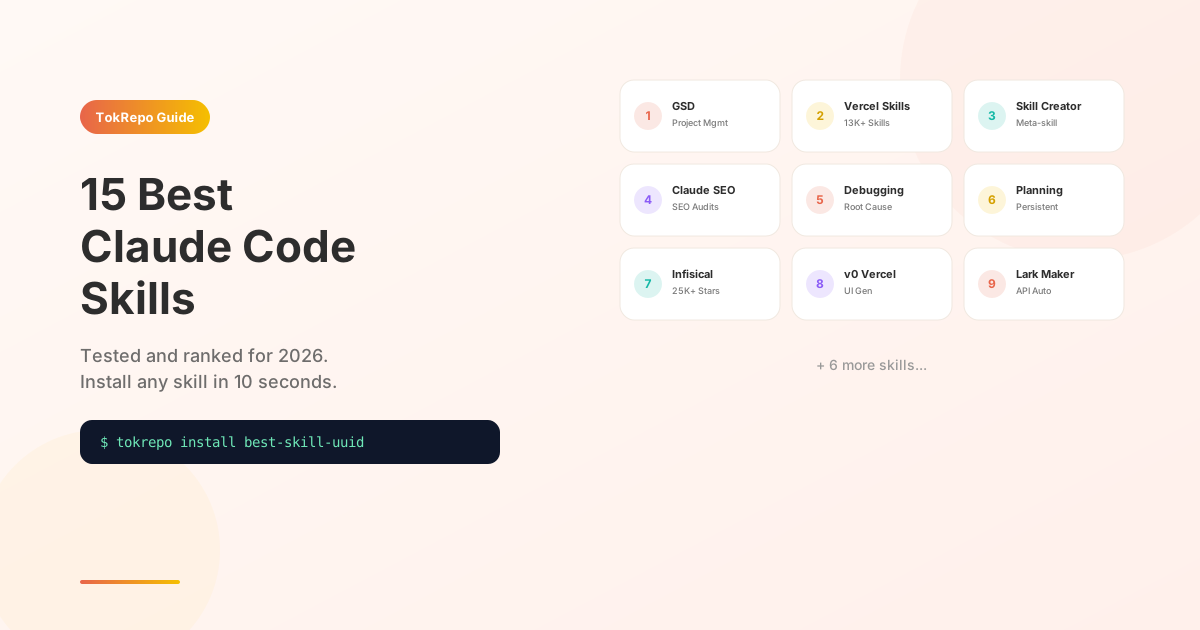
The 15 best Claude Code skills in 2026 include GSD (48K stars, project management), Vercel Skills (13K+ community skills), Claude SEO (4K stars, full SEO audits), Systematic Debugging (4-phase root cause analysis), Planning with Files (cross-session memory), and Infisical (25K stars, secrets management). Install any with tokrepo install <uuid> or drop the Markdown file into .claude/commands/.
Table of Contents
Learn how to supercharge Claude Code with 15 tested agent skills that automate code review, debugging, SEO, video production, and team workflows. Each skill below was installed and tested on real projects — we show you exactly what it does, when to use it, and how to install it in under 10 seconds.
Prerequisites
- Claude Code installed (v2.1+)
- A project directory where you want skills active
- Basic familiarity with the terminal
What Are Agent Skills?
Agent skills are Markdown files that teach Claude Code how to perform specific tasks. Drop a .md file into .claude/commands/ or install one from TokRepo, and Claude gains a new capability — no code, no MCP server, no configuration beyond the file itself.
If you're new to skills, read How to Create Your First Agent Skill first. For a comparison with MCP servers and rules, see Skills vs MCP vs Rules.
The 15 Best Claude Code Skills
1. Get Shit Done (GSD)
What it does: A complete project management framework inside Claude Code. Breaks large projects into milestones, phases, and tasks — then executes them with atomic commits and verification at each step.
Best for: Solo developers managing complex multi-day projects without losing context across sessions.
Install:
tokrepo install e108cf5c-c34e-4d27-a694-66a693301e87
Why it ranks #1: GSD solves the biggest Claude Code pain point — losing context on large projects. It creates persistent .planning/ directories with roadmaps, phase plans, and progress tracking that survive across sessions. 48,600+ GitHub stars speak for themselves.
2. Vercel Skills — Agent Skill Ecosystem
What it does: A curated collection of 13,000+ community-contributed skills covering Next.js, React, deployment, and full-stack development patterns.
Best for: Frontend and full-stack developers working with the Vercel ecosystem.
Install:
tokrepo install d1eba6f1-5166-4762-bbbd-cf00f14892b7
Why it ranks high: The sheer breadth — over 13,000 skills from the community means there's likely one for your exact use case. Think of it as an npm for Claude Code skills.
3. Agent Skill Creator
What it does: A meta-skill that helps you create new skills. Guides you through writing the frontmatter, triggers, instructions, and testing — then optionally publishes to TokRepo.
Best for: Anyone who wants to package their prompts into reusable, shareable skills.
Install:
tokrepo install 0b7c0a41-97e1-4187-9cc5-4dc32d91a9cd
Why it ranks high: Once you've used 5-10 skills, you'll want to create your own. This skill makes the process structured and repeatable, with 660+ stars on GitHub.
4. Claude SEO — Complete SEO Skill
What it does: Runs comprehensive SEO audits on your website — keyword research, on-page analysis, content gap detection, technical checks, and competitor comparison.
Best for: Developers and marketers who want SEO analysis without leaving the terminal.
Install:
tokrepo install cb068086-1c7d-408e-90a1-c39cfc6ffe87
Why it ranks high: SEO is one of those things most developers know they should do but never get around to. This skill makes it a single command — 4,000+ GitHub stars confirm the demand.
5. Systematic Debugging — 4-Phase Root Cause Analysis
What it does: Applies a structured debugging methodology: reproduce → isolate → diagnose → fix. Manages debug sessions with persistent state, checkpoints, and hypothesis tracking.
Best for: Debugging complex bugs that span multiple files or involve race conditions.
Install:
tokrepo install 78ed006e-b022-4e92-bf65-df8b53afd2f4
Why it ranks high: Instead of Claude randomly trying fixes, this skill forces a scientific approach. Each hypothesis is logged, tested, and either confirmed or rejected. Saves hours on hard-to-reproduce bugs.
6. Planning with Files — Persistent Planning Skill
What it does: Creates and maintains planning files (.planning/) for complex tasks. Tracks goals, progress, blockers, and decisions across multiple Claude Code sessions.
Best for: Multi-session projects where you need Claude to "remember" what was planned and decided.
Install:
tokrepo install 034be597-c361-45a2-b143-41cce0ec8ad8
Why it ranks high: Context loss is Claude Code's biggest limitation. This skill fights it by writing plans to disk, so the next session picks up exactly where you left off.
7. Infisical — Secrets Management Skill
What it does: Integrates Infisical secrets management into Claude Code. Pull, push, and manage environment variables and secrets without leaving your terminal.
Best for: Teams that use Infisical for secrets and want Claude to handle .env files safely.
Install:
tokrepo install 41fbcc5c-aac8-4f3e-8305-cf2462809684
Why it ranks high: 25,000+ GitHub stars. Security-critical — this skill ensures Claude never hardcodes secrets and always pulls from the vault.
8. v0 by Vercel
What it does: Generates UI components using Vercel's v0 AI. Describe what you want, get production-ready React/Tailwind components back.
Best for: Rapid prototyping of frontend components without opening a browser.
Install:
tokrepo install 4acf5c24-7eb6-44c9-b4e5-ccd1b5baf460
Why it ranks high: Combines Claude Code's coding ability with v0's design sense. 8,000+ stars. Great for quickly scaffolding landing pages, dashboards, and forms.
9. Lark CLI Skill: Skill Maker
What it does: Generates new Lark/Feishu CLI skills by analyzing Lark's OpenAPI spec. Point it at an API endpoint and it creates a complete, working skill.
Best for: Teams using Lark/Feishu who want to automate any Lark API operation from Claude Code.
Install:
tokrepo install 065a3ce6-0c95-4a75-a009-ae5c90ce5ffa
Why it ranks high: The most viewed skill on TokRepo (64 views). If your team uses Lark, this is the skill that generates all other Lark skills — it's a skill factory.
10. Lark CLI Skill: Wiki
What it does: Read, create, and manage Lark Wiki pages directly from Claude Code. Search wiki content, update pages, and organize knowledge bases.
Best for: Teams using Lark Wiki as their knowledge base who want to update docs without switching apps.
Install:
tokrepo install a5eb9344-208c-4032-9cca-2a17f53fc271
11. Remotion AI Skill
What it does: Creates programmatic videos using the Remotion framework. Write video compositions, manage timelines, add animations, captions, and voiceovers — all from Claude Code.
Best for: Developers who need to generate videos programmatically (marketing clips, product demos, explainers).
Install:
tokrepo install 57997ead-c8fa-409c-916f-28bbc0adc8d9
Why it ranks high: Video is usually a non-code workflow. This skill brings it into the terminal — describe what you want, get a rendered .mp4.
12. Web Access Skill
What it does: Gives Claude Code the ability to fetch and analyze web pages, APIs, and online documentation. Reads URLs, extracts content, and uses it in your current task.
Best for: Research-heavy tasks where you need Claude to check documentation, compare APIs, or analyze competitor pages.
Install:
tokrepo install 5766b7f4-f62e-4c74-80b4-c2763353b0fd
13. Lark CLI Skill: Events
What it does: Manage Lark calendar events — create, update, list, and delete events programmatically. Useful for scheduling standup meetings or syncing project milestones.
Best for: Teams automating meeting schedules and calendar management through Claude Code.
Install:
tokrepo install d74aa20d-6376-47bd-8e48-8e9af76504e9
14. Last30Days — AI Trend Research
What it does: Researches what happened in AI over the last 30 days. Aggregates news, releases, and trends from major AI labs and communities.
Best for: Staying current on AI developments without manually reading dozens of newsletters.
Install:
tokrepo install 6a80876b-83ef-4e61-a402-63624435cdda
15. Agent Skills Standard
What it does: Defines the universal SKILL.md format — frontmatter fields, trigger patterns, instruction structure, and testing conventions. A reference spec for building interoperable skills.
Best for: Skill authors who want their skills to work across Claude Code, Codex CLI, and Gemini CLI.
Install:
tokrepo install 1a1292f5-c88b-4eb5-b7dd-a3bf7bb29ee8
Quick Comparison Table
| Skill | Best For | Complexity | GitHub Stars |
|---|---|---|---|
| GSD | Project management | Medium | 48,600+ |
| Vercel Skills | Frontend ecosystem | Low | 13,000+ |
| Skill Creator | Building new skills | Low | 660+ |
| Claude SEO | SEO audits | Low | 4,000+ |
| Systematic Debugging | Hard bugs | Medium | — |
| Planning with Files | Multi-session work | Low | — |
| Infisical | Secrets management | Medium | 25,000+ |
| v0 by Vercel | UI prototyping | Low | 8,000+ |
| Lark Skill Maker | Lark API automation | Medium | — |
| Lark Wiki | Knowledge base | Low | — |
| Remotion AI | Video production | High | — |
| Web Access | Web research | Low | — |
| Lark Events | Calendar automation | Low | — |
| Last30Days | AI trend tracking | Low | — |
| Skills Standard | Skill authoring spec | Low | — |
How to Combine Skills
The real power comes from stacking skills together. Here are three proven combos:
The Solo Dev Stack:
- GSD for project planning and tracking
- Systematic Debugging for when things break
- Planning with Files for cross-session memory
The Frontend Stack:
- Vercel Skills for framework patterns
- v0 by Vercel for UI component generation
- Claude SEO for launch optimization
The Team Stack:
- Infisical for secrets management
- Lark Skill Maker + Lark Wiki for team communication
- Agent Skill Creator for building team-specific skills
FAQ
How do I install a Claude Code skill?
Run tokrepo install <uuid> in your terminal, or manually copy the skill's Markdown content into .claude/commands/your-skill-name.md. Claude Code auto-discovers skills in that directory.
Can I use multiple skills at once?
Yes. Claude Code loads all skills from .claude/commands/ at startup. You can have 10, 20, or even 50 skills active — they only consume context when invoked via their triggers.
Are these skills free?
All 15 skills listed here are free and open source. TokRepo is a free registry — you can search, install, and publish skills at no cost.
Do skills work with Codex CLI or Gemini CLI?
Most skills work across agents with minor adaptations. The Agent Skills Standard defines a universal format. See our Skills vs MCP vs Rules guide for cross-agent compatibility details.
How do I create my own skill?
Follow our step-by-step tutorial: How to Create Your First Agent Skill. Or install the Agent Skill Creator and let Claude guide you through the process.
Next Steps
- How to Create Your First Agent Skill — build your own custom skill
- Browse 500+ skills on TokRepo — find skills for your specific stack
- Skills vs MCP vs Rules — understand which extension type fits your needs
- Best MCP Servers for AI Coding — complement skills with MCP integrations
Frequently Asked Questions
How do I install a Claude Code skill?+
Run tokrepo install <uuid> in your terminal, or manually copy the skill's Markdown content into .claude/commands/your-skill-name.md. Claude Code auto-discovers every .md file in that directory at startup — no restart or configuration needed beyond the file itself.
Can I use multiple Claude Code skills at once?+
Yes. Claude Code loads all skills from .claude/commands/ at startup. You can have 10, 20, or even 50 skills active — they only consume context tokens when invoked via their triggers, so there's no penalty for installing many skills at once.
Are the best Claude Code skills free?+
Yes — all 15 skills in this guide (GSD, Vercel Skills, Skill Creator, Claude SEO, Systematic Debugging, Planning with Files, Infisical, v0, Lark skills, Remotion AI, Web Access, Last30Days, Skills Standard) are free and open source. TokRepo is a free registry for search, install, and publish.
Do Claude Code skills work with Codex CLI or Gemini CLI?+
Most skills work across agents with minor adaptations. The Agent Skills Standard (skill #15) defines a universal SKILL.md format with frontmatter, triggers, and instructions. Cross-compatibility depends on whether the agent supports the standard's convention.
Which Claude Code skills should solo developers install first?+
The Solo Dev Stack: GSD for project planning, Systematic Debugging for hard bugs, and Planning with Files for cross-session memory. These three solve Claude Code's biggest pain point — context loss — by persisting plans, hypotheses, and progress to disk.