12 Best MCP Servers for AI Coding Agents (2026 Guide)
Curated list of the 12 best MCP servers for Claude Code and AI coding agents. Each server tested with real projects, complete with JSON config and usage examples.
%20by%20%E2%80%9ELisa%20Wischofsky%E2%80%9D%2C%20licensed%20under%20%E2%80%9ECC0%201.0%E2%80%9D%20(https%3A%2F%2Fcreativecommons.org%2Fpublicdomain%2Fzero%2F1.0%2F)%3C%2Fdc%3Arights%3E%3C%2Frdf%3ADescription%3E%3C%2Frdf%3ARDF%3E%3C%2Fmetadata%3E%3Cmask%20id%3D%22viewboxMask%22%3E%3Crect%20width%3D%22980%22%20height%3D%22980%22%20rx%3D%22490%22%20ry%3D%22490%22%20x%3D%220%22%20y%3D%220%22%20fill%3D%22%23fff%22%20%2F%3E%3C%2Fmask%3E%3Cg%20mask%3D%22url(%23viewboxMask)%22%3E%3Crect%20fill%3D%22url(%23backgroundLinear)%22%20width%3D%22980%22%20height%3D%22980%22%20x%3D%220%22%20y%3D%220%22%20%2F%3E%3Cdefs%3E%3ClinearGradient%20id%3D%22backgroundLinear%22%20gradientTransform%3D%22rotate(28%200.5%200.5)%22%3E%3Cstop%20stop-color%3D%22%23FFEDD5%22%2F%3E%3Cstop%20offset%3D%221%22%20stop-color%3D%22%23FFCCB6%22%2F%3E%3C%2FlinearGradient%3E%3C%2Fdefs%3E%3Cg%20transform%3D%22translate(10%20-60)%22%3E%3Cpath%20d%3D%22M632%20187c17%209%2033%2022%2041%2040%209%2017%2010%2035%207%2053%2015%2014%2022%2034%2024%2054%201%209%202%2020-2%2030-1%203-3%208-7%2011l-4%201-10-8c-9-12-16-24-23-37-7%2010-17%2019-28%2024l-6-3c-9-5-14-17-23-21l-5%2018c-1%203-3%206-6%206-6-1-12-3-17-6-22-10-45-20-69-27%202%206%203%2012%201%2018%200%202-2%204-4%206h-14a188%20188%200%200%200-69%200c-6%201-12%205-19%207l-48%2020-12%2026c-5%2012-9%2025-12%2037-1%203-2%207-1%2010%202%204%207%205%209%209v5c-4%2010-6%2022-7%2033-3%2016-3%2033-3%2049v21c0%203-3%206-7%206-4%201-8%200-12-2l19%2014c3%202%205%204%205%208-1%202-4%203-6%204%203%201%205%202%206%205%202%203%201%206-2%208-5%203-12%201-16-2-2-3-5-7-5-11%201-2%203-2%205-3-6-3-10-7-15-11-11-9-25-15-37-22l-11-7-4-7a322%20322%200%200%201-24-121c1-20%205-41%2011-61%205-13%2011-26%2020-36%207-10%2016-18%2028-22-3-10-4-20%200-29%204-15%2015-27%2029-35%2018-10%2037-16%2057-20%2027-5%2056-8%2083-12%2026-4%2052-11%2078-18%2019-5%2038-10%2058-11%2016%200%2032%202%2047%209Z%22%20fill%3D%22%23000000%22%2F%3E%3Cpath%20d%3D%22M495%20234c28%201%2056%206%2084%2015a201%20201%200%200%201%20100%2065c19%2025%2031%2055%2035%2086a361%20361%200%200%201%202%20101l-5%2034-4%2020c-1%202-1%202-3%202-2-4-2-8-2-12-1-15%201-29%202-44%201-24%203-48%201-72l-6-45c-7-28-20-54-40-75-18-18-40-33-63-43-22-9-44-15-67-19-18-3-36-4-54-4a277%20277%200%200%200-128%2029c-13%209-25%2020-35%2032a276%20276%200%200%200-55%20139c-1%2024%200%2047%208%2070l7%2015%2012%201%201%203c-3%202-7%202-11%203-10%202-20%206-29%2012-7%205-14%2011-18%2019-5%2010-3%2022-1%2033%205%2019%2017%2037%2033%2049%2011%209%2025%2014%2039%2016%2010%202%2020%200%2030-1%205%204%208%2012%2011%2017l18%2027a136%20136%200%200%200%2066%2050c22%209%2045%2014%2068%2019l41%208%2017%205v4h-12a535%20535%200%200%201-67-8%20255%20255%200%200%201-84-33c-11-7-21-16-29-27a214%20214%200%200%201-16%20123c-15%2027-40%2048-70%2057-3%201-7%202-10%201-2%200-2-1-2-3%201-3%204-5%206-6%2012-8%2026-14%2038-23%2013-11%2024-23%2031-38%206-15%2010-32%2012-49%202-13%203-26%202-40l-4-38-18-36-19%204a88%2088%200%200%201-75-38%2093%2093%200%200%201-20-58c0-9%203-18%208-25s12-13%2019-17c5-4%2012-6%2018-8l-9-24c-5-22-5-45-2-67a292%20292%200%200%201%2063-149c9-10%2018-19%2029-26%207-4%2014-5%2020-9%2043-19%2090-25%20137-22Z%22%20fill%3D%22%23000%22%2F%3E%3Cpath%20d%3D%22M475%20243a276%20276%200%200%201%20121%2023c23%2010%2045%2025%2063%2043%2020%2021%2033%2047%2040%2075l6%2045c2%2024%200%2048-1%2072-1%2015-3%2029-2%2044%200%204%200%208%202%2012l-1%2020c-2%205-2%2010-2%2016-2%2024-2%2049-6%2074-1%2012-3%2025-8%2036-3%209-8%2017-15%2024-12%2013-27%2024-43%2033-19%2011-39%2016-58%2024-5%202-10%204-13%208%208%201%2015%200%2023-2-5%2012-6%2024-6%2036%200%205-1%2011%201%2016%203%205%208%209%2013%2012l35%2013c22%208%2043%2018%2065%2027%202%204%205%207%206%2012%206%2011%207%2023%203%2035-5%2013-15%2024-27%2031-16%2011-36%2019-55%2024a494%20494%200%200%201-235-7c-20-7-40-14-58-24-14-8-29-18-40-31-6-8-11-19-12-29a122%20122%200%200%200%2086-107c4-24%204-49%200-73%208%2011%2018%2020%2029%2027l27%2014a331%20331%200%200%200%20124%2027h12v-4l-17-5-41-8c-23-5-46-10-68-19-13-6-27-13-39-21-10-9-19-18-27-29l-18-27c-3-5-6-13-11-17-10%201-20%203-30%201-14-2-28-7-39-16a94%2094%200%200%201-33-49c-2-11-4-23%201-33%204-8%2011-14%2018-19%209-6%2019-10%2029-12%204-1%208-1%2011-3l-1-3-12-1-7-15c-8-23-9-46-7-70a276%20276%200%200%201%2054-139c10-12%2022-23%2035-32a277%20277%200%200%201%20128-30Z%22%20fill%3D%22%23ffffff%22%2F%3E%3Cpath%20d%3D%22M260%20571c4%200%207%200%2011%202%205%201%2011%204%2014%208%202%203%202%207%200%2010-5%206-12%2010-16%2016%206%204%2014%206%2021%209%204%201%208%203%2011%206l1%203-8-2-24-7c-4-1-8-3-9-7-1-3%201-7%203-10l15-13c-4-7-15-8-19-15ZM703%20577l2%203%202%2016a483%20483%200%200%201-2%2089c-2%2011-5%2023-10%2033a198%20198%200%200%201-106%2071c-1%2014-3%2031-2%2047l5%205c8%206%2018%209%2027%2012a451%20451%200%200%201%2068%2028c7%204%2013%209%2018%2015-5%201-10-1-16-2-22-9-43-19-65-27l-35-13c-5-3-10-7-13-12-2-5-1-11-1-16%200-12%201-24%206-36-8%202-15%203-23%202%203-4%208-6%2013-8%2019-8%2039-13%2058-24%2016-9%2031-20%2043-33%207-7%2012-15%2015-24%205-11%207-24%208-36%204-25%204-50%206-74%200-6%200-11%202-16Z%22%20fill%3D%22%23000%22%2F%3E%3Cpath%20d%3D%22m693%20510-2%207c-3%205-6%209-11%2012s-11%204-17%205l-18%202c-5%200-8%203-10%206l-7%207c-2%201-5-1-4-3%201-8%207-14%2011-20%203-3%207-7%2012-7l30-5c5-1%2010-4%2016-4ZM388%20514c12-1%2021%203%2032%204%2015%202%2030%204%2045%204l24%202c8%201%2017%200%2024%204s12%2010%2016%2016c1%202%202%204%200%207-1%201-3%200-4-1-4-2-7-6-11-7l-12-1-28-1-22-1c-10-1-20-1-30-5-7-2-12-6-19-9l-12-9c-2-1-3-1-3-3Z%22%20fill%3D%22%23000000%22%2F%3E%3Cpath%20d%3D%22M492%20386c7%200%2013%200%2019%202%208%202%2015%205%2018%2013%204%207%204%2014%202%2022-1%204-4%207-9%208-8%203-17%201-26-1-7-1-15-3-22-6-6-3-12-8-13-14-2-6%202-13%207-16%207-6%2016-7%2024-8ZM658%20388c5%201%209%204%2011%209%202%203%201%208%200%2011-1%204-5%208-8%2010-5%205-11%206-18%208-5%201-12%203-18%201-2-1-6-4-7-7-3-11%203-25%2014-30%208-4%2017-4%2026-2Z%22%20fill%3D%22%23000000%22%2F%3E%3Cpath%20d%3D%22M293%20643c3-2%207-1%209%201%203%202%204%206%203%2010-2%204-7%207-12%205-3-1-5-5-4-8%200-4%201-7%204-8Z%22%20fill%3D%22%23000000%22%2F%3E%3Cpath%20d%3D%22M594%20572a37%2037%200%200%201%2019%2029c0%209-5%2018-13%2022l-17%207c-4%201-6%202-9%200-2-3-1-4%201-6%206-5%2015-7%2021-12%203-2%205-5%205-9%200-10-5-17-7-26v-5Z%22%20fill%3D%22%23000000%22%2F%3E%3Cpath%20fill-rule%3D%22evenodd%22%20clip-rule%3D%22evenodd%22%20d%3D%22M438%20634c-4%206-11%2011-19%2013%200-4%203-7%206-9%204-3%208-5%2013-4Zm14%2012%2032%205%2024%206c15%204%2029%208%2044%2010%2010%201%2020%200%2029-1%2012-2%2023-4%2036-1%206%202%2011%206%2015%2011%203%205%204%2010%202%2016s-7%2013-13%2017c-7%205-15%206-24%207l-30%203-29-2-21-5-10-3-12-3-14-4-23-8-17-10c-7-5-10-15-8-23%202-9%2010-15%2019-15Zm4%209-9%201c-4%201-7%204-8%208%200%203%202%206%203%208v1l8%208%204%202c0-9%200-19%204-27l-2-1Zm9%202a703%20703%200%200%201%2040%2010c-2%2011-5%2022-4%2033l-22-6-14-5-4-2%204-17v-13Zm87%2020c-14-1-27-5-41-8a46%2046%200%200%201-1%2018c-1%205-2%2010-5%2014l9%202%2013%204%2017%203%205%201c-3-10%200-21%202-30l1-4Zm54-5c4%200%208%200%2012%202%203%201%206%205%208%208%201%202%202%205%201%208-3%205-7%2010-12%2013s-10%204-16%205l-2%201%207-18%202-19Zm-13%2025%205-25-15%203-23%202c0%2010-2%2019-5%2029l-2%205a135%20135%200%200%200%2035-1l4-1%201-12Z%22%20fill%3D%22%23000000%22%2F%3E%3Cpath%20d%3D%22M617%20181c12%204%2024%2010%2034%2018%2012%2010%2022%2023%2027%2038a105%20105%200%200%201-16%2090c-8%2011-19%2022-32%2028-8-2-12-7-17-13-3-4-7-9-12-11l-4%2016c-1%202-2%206-5%207-2%203-7%200-10-1l-36-16-42-15c2%206%202%2012%201%2018%200%202-2%204-4%206h-14c-14-3-29-4-43-3-23%201-46%208-69%2013l-18%201-11%2027c-8%2017-14%2034-19%2052-1%203-2%207-1%2010%202%204%207%205%209%208v5c-4%2010-6%2021-7%2032-3%2018-3%2036-3%2055v17c0%203-4%206-7%206-4%201-8%200-12-2l20%2014c2%202%204%205%204%208-1%202-4%203-6%204%203%201%207%203%207%207s-3%206-6%207c-7%202-16-4-18-12%200-3%201-5%205-5-8-4-14-10-18-17-3-4-5-9-5-14%201-2%204%200%206%200-7-6-14-13-19-20-1-3-4-3-6-3l-24-6c-2-1-6-1-7-4l-5-17-8-43a370%20370%200%200%201-1-71l7-31a118%20118%200%200%201%2049-59c-4-10-5-19-2-29%204-15%2014-27%2028-35%2017-11%2037-17%2057-21%2028-6%2057-9%2085-13%2026-4%2051-10%2076-17l36-9c19-3%2037-4%2056%200Z%22%20fill%3D%22%23000000%22%2F%3E%3C%2Fg%3E%3Cg%20transform%3D%22translate(10%20-60)%22%3E%3C%2Fg%3E%3C%2Fg%3E%3C%2Fsvg%3E)
William Wang — Founder of TokRepo & GEOScore AI. Building tools for AI developer productivity and search visibility.
Quick Answer
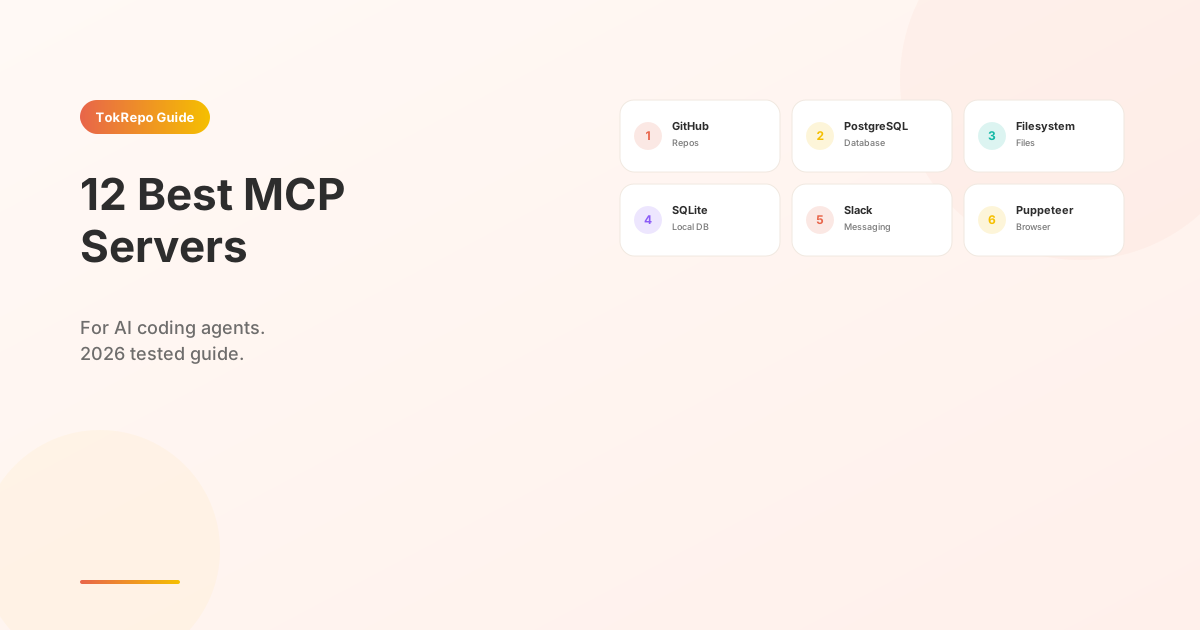
The 12 best MCP servers for Claude Code in 2026 are GitHub (PR workflows), PostgreSQL (database queries), Filesystem (multi-directory access), SQLite, Slack, Puppeteer (headless browser), Sentry, Stripe, Supabase, Elasticsearch, Glama (MCP discovery), and MCP Inspector (debugging). Configure each one in ~/.claude/settings.json under mcpServers with command, args, and env — Claude Code starts them as subprocesses and routes tool calls by name.
Learn how to extend Claude Code with 12 tested MCP servers that give your AI agent direct access to GitHub repos, databases, file systems, payment APIs, and browser automation — each one installed and verified on real projects.
Prerequisites
- Claude Code installed (v2.1+) with MCP support enabled
- A
~/.claude/settings.jsonor project-level.claude/settings.jsonfile for MCP configuration - The runtime each server requires (Node.js 20+, Python 3.11+, or Docker — noted per server below)
What Are MCP Servers?
MCP (Model Context Protocol) servers are lightweight processes that expose tools, resources, and prompts to AI coding agents over a standardized JSON-RPC protocol. Unlike agent skills — which are pure Markdown instructions — MCP servers run actual code and can interact with external services: databases, APIs, browsers, and file systems.
Anthropic publishes the MCP specification on GitHub, and a growing ecosystem of open-source servers already covers the most common developer workflows. For a deeper comparison of when to use skills, MCP servers, or rules, read our Skills vs MCP vs Rules guide.
The 12 Best MCP Servers
1. GitHub MCP Server
What it does: Full GitHub integration — create issues, open PRs, review code, search repos, manage branches, and read file contents directly from Claude Code.
Best for: Teams that live in GitHub and want their AI agent to participate in the pull request workflow without copy-pasting URLs.
Install:
{
  "mcpServers": {
    "github": {
      "command": "npx",
      "args": ["-y", "@modelcontextprotocol/server-github"],
      "env": {
        "GITHUB_PERSONAL_ACCESS_TOKEN": "<your-token>"
      }
    }
  }
}
Why it ranks #1: GitHub is the center of most development workflows. This server lets Claude create branches, push commits, open PRs, and respond to review comments — turning it into a true team member. It supports 30+ tools covering repos, issues, PRs, and search.
2. PostgreSQL MCP Server
What it does: Connects Claude Code directly to your PostgreSQL database. Run read-only queries, inspect schemas, list tables, and analyze data — all through natural language.
Best for: Backend developers who need to explore database schemas, write queries, or debug data issues without switching to a SQL client.
Install:
{
  "mcpServers": {
    "postgres": {
      "command": "npx",
      "args": ["-y", "@modelcontextprotocol/server-postgres"],
      "env": {
        "POSTGRES_CONNECTION_STRING": "postgresql://user:pass@localhost:5432/mydb"
      }
    }
  }
}
Why it ranks high: Database work is one of the most common developer tasks. Having Claude query your schema, suggest indexes, and write optimized SQL inline saves constant context-switching between terminal and database GUI.
3. Filesystem MCP Server
What it does: Gives Claude Code controlled access to read, write, search, and manage files on your local filesystem. Supports directory listing, file creation, moving, and searching with glob patterns.
Best for: Projects where Claude needs to operate on files outside the current working directory — config files, logs, multi-repo setups.
Install:
{
  "mcpServers": {
    "filesystem": {
      "command": "npx",
      "args": [
        "-y", "@modelcontextprotocol/server-filesystem",
        "/Users/you/projects",
        "/Users/you/configs"
      ]
    }
  }
}
You specify which directories the server can access as positional arguments. Claude cannot read files outside these paths.
Why it ranks high: It is the simplest MCP server to set up and solves a real pain point — Claude Code's built-in file access is limited to the project root. This server extends reach to any directory you allow.
4. SQLite MCP Server
What it does: Connects Claude to a local SQLite database file. Run queries, create tables, inspect schemas, and analyze data stored in .sqlite or .db files.
Best for: Local development, prototyping, and working with embedded databases — especially mobile app backends and Electron apps.
Install:
{
  "mcpServers": {
    "sqlite": {
      "command": "npx",
      "args": ["-y", "@modelcontextprotocol/server-sqlite"],
      "env": {
        "SQLITE_DB_PATH": "/path/to/your/database.sqlite"
      }
    }
  }
}
Why it ranks high: SQLite is everywhere — mobile apps, desktop tools, browser extensions, IoT devices. This server lets Claude inspect and query any .db file without installing a separate tool. Perfect for rapid prototyping with zero infrastructure.
5. Slack MCP Server
What it does: Read messages, post to channels, search conversation history, list channels, and manage threads — all from Claude Code.
Best for: DevOps and on-call workflows where you need Claude to search Slack for context about an incident, or post deploy notifications automatically.
Install:
{
  "mcpServers": {
    "slack": {
      "command": "npx",
      "args": ["-y", "@modelcontextprotocol/server-slack"],
      "env": {
        "SLACK_BOT_TOKEN": "xoxb-your-bot-token",
        "SLACK_TEAM_ID": "T0123456789"
      }
    }
  }
}
You need a Slack app with channels:history, channels:read, chat:write, and users:read scopes.
Why it ranks high: Slack is where context lives in most teams. Instead of manually searching for "what did the backend team say about that migration?", Claude searches for you and incorporates the answer into its response.
6. Puppeteer MCP Server
What it does: Controls a headless Chrome browser. Navigate to pages, click elements, fill forms, take screenshots, extract DOM content, and run JavaScript in the browser context.
Best for: E2E testing, web scraping, screenshot comparison, and debugging frontend issues that only reproduce in a real browser.
Install:
{
  "mcpServers": {
    "puppeteer": {
      "command": "npx",
      "args": ["-y", "@modelcontextprotocol/server-puppeteer"],
      "env": {
        "PUPPETEER_HEADLESS": "true"
      }
    }
  }
}
Why it ranks high: This is the server that gives Claude "eyes." It can navigate to your staging site, take a screenshot, compare it to the design, and tell you what is off — all without you opening a browser. Combined with agent skills for test writing, it creates a powerful QA loop.
7. Sentry MCP Server
What it does: Pulls error data from Sentry — list recent issues, get stack traces, view event details, search by error message, and check release health.
Best for: On-call developers who want Claude to analyze production errors, correlate stack traces with code, and suggest fixes automatically.
Install:
{
  "mcpServers": {
    "sentry": {
      "command": "npx",
      "args": ["-y", "@modelcontextprotocol/server-sentry"],
      "env": {
        "SENTRY_AUTH_TOKEN": "<your-sentry-auth-token>",
        "SENTRY_ORG": "your-org-slug"
      }
    }
  }
}
Why it ranks high: The debugging loop — "see error in Sentry, find the code, understand the cause, write a fix" — is one of the highest-value workflows to automate. This server handles steps 1 and 2, then Claude handles 3 and 4.
8. Stripe MCP Server
What it does: Interacts with the Stripe API — list customers, retrieve payment intents, check subscription status, search invoices, and inspect webhook events.
Best for: SaaS developers who need Claude to debug payment issues, verify subscription states, or generate Stripe API integration code with real schema context.
Install:
{
  "mcpServers": {
    "stripe": {
      "command": "npx",
      "args": ["-y", "@modelcontextprotocol/server-stripe"],
      "env": {
        "STRIPE_SECRET_KEY": "sk_test_..."
      }
    }
  }
}
Use a test mode key during development. Never expose production Stripe keys in shared configs.
Why it ranks high: Payment bugs are high-stakes. Having Claude pull the actual Stripe event, compare it to your webhook handler, and spot the mismatch saves hours of manual Stripe dashboard spelunking.
9. Supabase MCP Server
What it does: Full Supabase integration — query Postgres tables, manage auth users, interact with storage buckets, and call Edge Functions. Combines database, auth, and storage in one server.
Best for: Indie hackers and startups building on Supabase who want Claude to manage the entire backend without leaving the terminal.
Install:
{
  "mcpServers": {
    "supabase": {
      "command": "npx",
      "args": ["-y", "@supabase/mcp-server"],
      "env": {
        "SUPABASE_URL": "https://your-project.supabase.co",
        "SUPABASE_SERVICE_ROLE_KEY": "eyJ..."
      }
    }
  }
}
Why it ranks high: Supabase is the most popular open-source Firebase alternative. This server covers Postgres queries, Row Level Security policies, auth user management, and storage — all through one MCP connection. If your stack is Supabase, this is non-negotiable.
10. Elasticsearch MCP Server
What it does: Query Elasticsearch indices, inspect mappings, run aggregations, and manage index lifecycles. Supports both Elasticsearch 7.x and 8.x.
Best for: Backend teams with Elasticsearch-powered search who want Claude to write queries, debug relevance issues, or optimize index mappings.
Install:
{
  "mcpServers": {
    "elasticsearch": {
      "command": "npx",
      "args": ["-y", "@modelcontextprotocol/server-elasticsearch"],
      "env": {
        "ELASTICSEARCH_URL": "http://localhost:9200",
        "ELASTICSEARCH_API_KEY": "<your-api-key>"
      }
    }
  }
}
Why it ranks high: Elasticsearch query DSL is notoriously complex. Having Claude write and test queries against your actual index — with real mappings and data — produces dramatically better results than asking it to write queries from memory.
11. Glama MCP Server
What it does: A meta-server for MCP discovery. Search the Glama registry for MCP servers, get installation instructions, and compare capabilities — all from within Claude Code.
Best for: Developers exploring the MCP ecosystem who want to find, evaluate, and install new servers without leaving the terminal.
Install:
{
  "mcpServers": {
    "glama": {
      "command": "npx",
      "args": ["-y", "@anthropic-ai/mcp-glama"],
      "env": {}
    }
  }
}
Why it ranks high: The MCP ecosystem is growing fast. Instead of browsing GitHub or Google, ask Claude "find me an MCP server for Jira" and Glama returns matching results with install configs. It is the package manager for MCP servers.
12. MCP Inspector
What it does: A debugging and testing tool for MCP servers. Validates server responses, checks protocol compliance, inspects tool schemas, and helps you diagnose why a server is not working.
Best for: MCP server developers and anyone troubleshooting a server that is not connecting or returning unexpected results.
Install:
{
  "mcpServers": {
    "mcp-inspector": {
      "command": "npx",
      "args": ["-y", "@anthropic-ai/mcp-inspector"],
      "env": {}
    }
  }
}
You can also run it standalone to test any MCP server:
npx @anthropic-ai/mcp-inspector --server "npx @modelcontextprotocol/server-github"
Why it ranks high: When an MCP server silently fails, you need a debugger. MCP Inspector shows you the raw JSON-RPC messages, validates tool schemas, and pinpoints exactly where the handshake breaks. Essential for anyone building custom MCP servers.
Quick Comparison Table
| MCP Server | Category | Best For | Runtime | Auth Required |
|---|---|---|---|---|
| GitHub | Source Control | PR workflows | Node.js | Yes (PAT) |
| PostgreSQL | Database | Schema exploration | Node.js | Yes (conn string) |
| Filesystem | Files | Multi-dir access | Node.js | No |
| SQLite | Database | Local prototyping | Node.js | No |
| Slack | Communication | Incident context | Node.js | Yes (Bot token) |
| Puppeteer | Browser | E2E testing | Node.js | No |
| Sentry | Monitoring | Error triage | Node.js | Yes (Auth token) |
| Stripe | Payments | Payment debugging | Node.js | Yes (API key) |
| Supabase | Backend-as-a-Service | Full-stack BaaS | Node.js | Yes (Service key) |
| Elasticsearch | Search | Query building | Node.js | Optional |
| Glama | Discovery | Finding MCP servers | Node.js | No |
| MCP Inspector | Debugging | Server troubleshooting | Node.js | No |
How to Configure Multiple MCP Servers
You can run multiple MCP servers simultaneously. Add them all to one mcpServers object in your Claude Code settings:
{
  "mcpServers": {
    "github": {
      "command": "npx",
      "args": ["-y", "@modelcontextprotocol/server-github"],
      "env": { "GITHUB_PERSONAL_ACCESS_TOKEN": "ghp_..." }
    },
    "postgres": {
      "command": "npx",
      "args": ["-y", "@modelcontextprotocol/server-postgres"],
      "env": { "POSTGRES_CONNECTION_STRING": "postgresql://..." }
    },
    "filesystem": {
      "command": "npx",
      "args": ["-y", "@modelcontextprotocol/server-filesystem", "/home/you/projects"]
    }
  }
}
Claude Code starts each server as a subprocess and routes tool calls to the correct one based on the tool name. There is no performance penalty for having multiple servers configured — they only consume resources when invoked.
FAQ
What is the difference between MCP servers and agent skills?
MCP servers are running processes that expose tools over JSON-RPC — they can call APIs, query databases, and control browsers. Agent skills are Markdown instructions that teach Claude how to perform tasks using its built-in capabilities. Skills are simpler to create; MCP servers are more powerful for external integrations. See our full comparison in Skills vs MCP vs Rules.
Do MCP servers work with other AI agents besides Claude Code?
Yes. MCP is an open protocol — any agent that implements the MCP client specification can use these servers. Codex CLI, Cursor, and several other tools are adding MCP support. The servers listed here work with any compliant client.
Are MCP servers safe to use with production data?
It depends on the server. PostgreSQL and Elasticsearch servers default to read-only mode. GitHub and Slack servers require explicit token scopes. Always use test/staging credentials during development. Review each server's permission model before connecting to production systems.
How do I build my own MCP server?
Start with the official MCP SDK on GitHub and follow our How to Create Your First Agent Skill guide for general patterns. Use the MCP Inspector to validate your implementation.
Next Steps
- How to Create Your First Agent Skill — build custom commands for Claude Code
- Skills vs MCP vs Rules — understand which extension type fits your workflow
- 15 Best Claude Code Skills — complement MCP servers with agent skills
- Browse MCP Servers on TokRepo — discover more servers for your stack
Frequently Asked Questions
What is the difference between MCP servers and agent skills?+
MCP servers are running processes that expose tools over JSON-RPC — they can call APIs, query databases, and control browsers. Agent skills are Markdown instructions that teach Claude how to perform tasks using its built-in capabilities. Skills are simpler; MCP servers are more powerful for external integrations.
Do MCP servers work with other AI agents besides Claude Code?+
Yes. MCP is an open protocol — any agent that implements the MCP client specification can use these servers. Codex CLI, Cursor, and several other tools are adding MCP support. The 12 servers listed here work with any compliant client without modification.
Are MCP servers safe to use with production data?+
It depends on the server. PostgreSQL and Elasticsearch servers default to read-only mode. GitHub and Slack servers require explicit token scopes. Always use test/staging credentials during development — never expose production Stripe keys or service-role Supabase keys in shared configs.
How do I configure multiple MCP servers at once?+
Add them all to one mcpServers object in ~/.claude/settings.json, each with its own command, args, and env. Claude Code starts each server as a subprocess and routes tool calls by name. There is no performance penalty — servers only consume resources when invoked.
How do I build my own MCP server?+
Start with the official MCP SDK on GitHub, define tools and resources using the FastMCP decorators in Python or the MCP TypeScript SDK, then use MCP Inspector to validate JSON-RPC responses, check protocol compliance, and debug handshake failures before connecting it to Claude Code.