Best Cursor Rules in 2026 — 20 Rules to Supercharge Your AI Coding
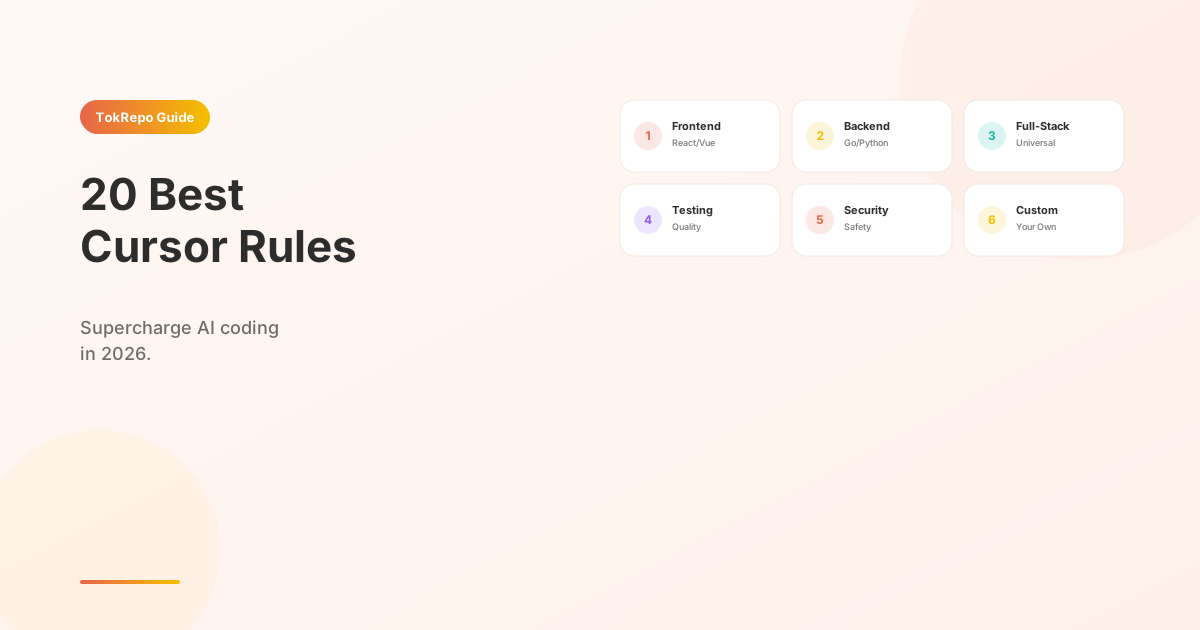
Curated list of 20 tested .cursorrules files for React, Vue, Go, Python, Next.js, and more. Learn how to configure Cursor AI for maximum productivity.
%20by%20%E2%80%9ELisa%20Wischofsky%E2%80%9D%2C%20licensed%20under%20%E2%80%9ECC0%201.0%E2%80%9D%20(https%3A%2F%2Fcreativecommons.org%2Fpublicdomain%2Fzero%2F1.0%2F)%3C%2Fdc%3Arights%3E%3C%2Frdf%3ADescription%3E%3C%2Frdf%3ARDF%3E%3C%2Fmetadata%3E%3Cmask%20id%3D%22viewboxMask%22%3E%3Crect%20width%3D%22980%22%20height%3D%22980%22%20rx%3D%22490%22%20ry%3D%22490%22%20x%3D%220%22%20y%3D%220%22%20fill%3D%22%23fff%22%20%2F%3E%3C%2Fmask%3E%3Cg%20mask%3D%22url(%23viewboxMask)%22%3E%3Crect%20fill%3D%22url(%23backgroundLinear)%22%20width%3D%22980%22%20height%3D%22980%22%20x%3D%220%22%20y%3D%220%22%20%2F%3E%3Cdefs%3E%3ClinearGradient%20id%3D%22backgroundLinear%22%20gradientTransform%3D%22rotate(28%200.5%200.5)%22%3E%3Cstop%20stop-color%3D%22%23FFEDD5%22%2F%3E%3Cstop%20offset%3D%221%22%20stop-color%3D%22%23FFCCB6%22%2F%3E%3C%2FlinearGradient%3E%3C%2Fdefs%3E%3Cg%20transform%3D%22translate(10%20-60)%22%3E%3Cpath%20d%3D%22M632%20187c17%209%2033%2022%2041%2040%209%2017%2010%2035%207%2053%2015%2014%2022%2034%2024%2054%201%209%202%2020-2%2030-1%203-3%208-7%2011l-4%201-10-8c-9-12-16-24-23-37-7%2010-17%2019-28%2024l-6-3c-9-5-14-17-23-21l-5%2018c-1%203-3%206-6%206-6-1-12-3-17-6-22-10-45-20-69-27%202%206%203%2012%201%2018%200%202-2%204-4%206h-14a188%20188%200%200%200-69%200c-6%201-12%205-19%207l-48%2020-12%2026c-5%2012-9%2025-12%2037-1%203-2%207-1%2010%202%204%207%205%209%209v5c-4%2010-6%2022-7%2033-3%2016-3%2033-3%2049v21c0%203-3%206-7%206-4%201-8%200-12-2l19%2014c3%202%205%204%205%208-1%202-4%203-6%204%203%201%205%202%206%205%202%203%201%206-2%208-5%203-12%201-16-2-2-3-5-7-5-11%201-2%203-2%205-3-6-3-10-7-15-11-11-9-25-15-37-22l-11-7-4-7a322%20322%200%200%201-24-121c1-20%205-41%2011-61%205-13%2011-26%2020-36%207-10%2016-18%2028-22-3-10-4-20%200-29%204-15%2015-27%2029-35%2018-10%2037-16%2057-20%2027-5%2056-8%2083-12%2026-4%2052-11%2078-18%2019-5%2038-10%2058-11%2016%200%2032%202%2047%209Z%22%20fill%3D%22%23000000%22%2F%3E%3Cpath%20d%3D%22M495%20234c28%201%2056%206%2084%2015a201%20201%200%200%201%20100%2065c19%2025%2031%2055%2035%2086a361%20361%200%200%201%202%20101l-5%2034-4%2020c-1%202-1%202-3%202-2-4-2-8-2-12-1-15%201-29%202-44%201-24%203-48%201-72l-6-45c-7-28-20-54-40-75-18-18-40-33-63-43-22-9-44-15-67-19-18-3-36-4-54-4a277%20277%200%200%200-128%2029c-13%209-25%2020-35%2032a276%20276%200%200%200-55%20139c-1%2024%200%2047%208%2070l7%2015%2012%201%201%203c-3%202-7%202-11%203-10%202-20%206-29%2012-7%205-14%2011-18%2019-5%2010-3%2022-1%2033%205%2019%2017%2037%2033%2049%2011%209%2025%2014%2039%2016%2010%202%2020%200%2030-1%205%204%208%2012%2011%2017l18%2027a136%20136%200%200%200%2066%2050c22%209%2045%2014%2068%2019l41%208%2017%205v4h-12a535%20535%200%200%201-67-8%20255%20255%200%200%201-84-33c-11-7-21-16-29-27a214%20214%200%200%201-16%20123c-15%2027-40%2048-70%2057-3%201-7%202-10%201-2%200-2-1-2-3%201-3%204-5%206-6%2012-8%2026-14%2038-23%2013-11%2024-23%2031-38%206-15%2010-32%2012-49%202-13%203-26%202-40l-4-38-18-36-19%204a88%2088%200%200%201-75-38%2093%2093%200%200%201-20-58c0-9%203-18%208-25s12-13%2019-17c5-4%2012-6%2018-8l-9-24c-5-22-5-45-2-67a292%20292%200%200%201%2063-149c9-10%2018-19%2029-26%207-4%2014-5%2020-9%2043-19%2090-25%20137-22Z%22%20fill%3D%22%23000%22%2F%3E%3Cpath%20d%3D%22M475%20243a276%20276%200%200%201%20121%2023c23%2010%2045%2025%2063%2043%2020%2021%2033%2047%2040%2075l6%2045c2%2024%200%2048-1%2072-1%2015-3%2029-2%2044%200%204%200%208%202%2012l-1%2020c-2%205-2%2010-2%2016-2%2024-2%2049-6%2074-1%2012-3%2025-8%2036-3%209-8%2017-15%2024-12%2013-27%2024-43%2033-19%2011-39%2016-58%2024-5%202-10%204-13%208%208%201%2015%200%2023-2-5%2012-6%2024-6%2036%200%205-1%2011%201%2016%203%205%208%209%2013%2012l35%2013c22%208%2043%2018%2065%2027%202%204%205%207%206%2012%206%2011%207%2023%203%2035-5%2013-15%2024-27%2031-16%2011-36%2019-55%2024a494%20494%200%200%201-235-7c-20-7-40-14-58-24-14-8-29-18-40-31-6-8-11-19-12-29a122%20122%200%200%200%2086-107c4-24%204-49%200-73%208%2011%2018%2020%2029%2027l27%2014a331%20331%200%200%200%20124%2027h12v-4l-17-5-41-8c-23-5-46-10-68-19-13-6-27-13-39-21-10-9-19-18-27-29l-18-27c-3-5-6-13-11-17-10%201-20%203-30%201-14-2-28-7-39-16a94%2094%200%200%201-33-49c-2-11-4-23%201-33%204-8%2011-14%2018-19%209-6%2019-10%2029-12%204-1%208-1%2011-3l-1-3-12-1-7-15c-8-23-9-46-7-70a276%20276%200%200%201%2054-139c10-12%2022-23%2035-32a277%20277%200%200%201%20128-30Z%22%20fill%3D%22%23ffffff%22%2F%3E%3Cpath%20d%3D%22M260%20571c4%200%207%200%2011%202%205%201%2011%204%2014%208%202%203%202%207%200%2010-5%206-12%2010-16%2016%206%204%2014%206%2021%209%204%201%208%203%2011%206l1%203-8-2-24-7c-4-1-8-3-9-7-1-3%201-7%203-10l15-13c-4-7-15-8-19-15ZM703%20577l2%203%202%2016a483%20483%200%200%201-2%2089c-2%2011-5%2023-10%2033a198%20198%200%200%201-106%2071c-1%2014-3%2031-2%2047l5%205c8%206%2018%209%2027%2012a451%20451%200%200%201%2068%2028c7%204%2013%209%2018%2015-5%201-10-1-16-2-22-9-43-19-65-27l-35-13c-5-3-10-7-13-12-2-5-1-11-1-16%200-12%201-24%206-36-8%202-15%203-23%202%203-4%208-6%2013-8%2019-8%2039-13%2058-24%2016-9%2031-20%2043-33%207-7%2012-15%2015-24%205-11%207-24%208-36%204-25%204-50%206-74%200-6%200-11%202-16Z%22%20fill%3D%22%23000%22%2F%3E%3Cpath%20d%3D%22m693%20510-2%207c-3%205-6%209-11%2012s-11%204-17%205l-18%202c-5%200-8%203-10%206l-7%207c-2%201-5-1-4-3%201-8%207-14%2011-20%203-3%207-7%2012-7l30-5c5-1%2010-4%2016-4ZM388%20514c12-1%2021%203%2032%204%2015%202%2030%204%2045%204l24%202c8%201%2017%200%2024%204s12%2010%2016%2016c1%202%202%204%200%207-1%201-3%200-4-1-4-2-7-6-11-7l-12-1-28-1-22-1c-10-1-20-1-30-5-7-2-12-6-19-9l-12-9c-2-1-3-1-3-3Z%22%20fill%3D%22%23000000%22%2F%3E%3Cpath%20d%3D%22M492%20386c7%200%2013%200%2019%202%208%202%2015%205%2018%2013%204%207%204%2014%202%2022-1%204-4%207-9%208-8%203-17%201-26-1-7-1-15-3-22-6-6-3-12-8-13-14-2-6%202-13%207-16%207-6%2016-7%2024-8ZM658%20388c5%201%209%204%2011%209%202%203%201%208%200%2011-1%204-5%208-8%2010-5%205-11%206-18%208-5%201-12%203-18%201-2-1-6-4-7-7-3-11%203-25%2014-30%208-4%2017-4%2026-2Z%22%20fill%3D%22%23000000%22%2F%3E%3Cpath%20d%3D%22M293%20643c3-2%207-1%209%201%203%202%204%206%203%2010-2%204-7%207-12%205-3-1-5-5-4-8%200-4%201-7%204-8Z%22%20fill%3D%22%23000000%22%2F%3E%3Cpath%20d%3D%22M594%20572a37%2037%200%200%201%2019%2029c0%209-5%2018-13%2022l-17%207c-4%201-6%202-9%200-2-3-1-4%201-6%206-5%2015-7%2021-12%203-2%205-5%205-9%200-10-5-17-7-26v-5Z%22%20fill%3D%22%23000000%22%2F%3E%3Cpath%20fill-rule%3D%22evenodd%22%20clip-rule%3D%22evenodd%22%20d%3D%22M438%20634c-4%206-11%2011-19%2013%200-4%203-7%206-9%204-3%208-5%2013-4Zm14%2012%2032%205%2024%206c15%204%2029%208%2044%2010%2010%201%2020%200%2029-1%2012-2%2023-4%2036-1%206%202%2011%206%2015%2011%203%205%204%2010%202%2016s-7%2013-13%2017c-7%205-15%206-24%207l-30%203-29-2-21-5-10-3-12-3-14-4-23-8-17-10c-7-5-10-15-8-23%202-9%2010-15%2019-15Zm4%209-9%201c-4%201-7%204-8%208%200%203%202%206%203%208v1l8%208%204%202c0-9%200-19%204-27l-2-1Zm9%202a703%20703%200%200%201%2040%2010c-2%2011-5%2022-4%2033l-22-6-14-5-4-2%204-17v-13Zm87%2020c-14-1-27-5-41-8a46%2046%200%200%201-1%2018c-1%205-2%2010-5%2014l9%202%2013%204%2017%203%205%201c-3-10%200-21%202-30l1-4Zm54-5c4%200%208%200%2012%202%203%201%206%205%208%208%201%202%202%205%201%208-3%205-7%2010-12%2013s-10%204-16%205l-2%201%207-18%202-19Zm-13%2025%205-25-15%203-23%202c0%2010-2%2019-5%2029l-2%205a135%20135%200%200%200%2035-1l4-1%201-12Z%22%20fill%3D%22%23000000%22%2F%3E%3Cpath%20d%3D%22M617%20181c12%204%2024%2010%2034%2018%2012%2010%2022%2023%2027%2038a105%20105%200%200%201-16%2090c-8%2011-19%2022-32%2028-8-2-12-7-17-13-3-4-7-9-12-11l-4%2016c-1%202-2%206-5%207-2%203-7%200-10-1l-36-16-42-15c2%206%202%2012%201%2018%200%202-2%204-4%206h-14c-14-3-29-4-43-3-23%201-46%208-69%2013l-18%201-11%2027c-8%2017-14%2034-19%2052-1%203-2%207-1%2010%202%204%207%205%209%208v5c-4%2010-6%2021-7%2032-3%2018-3%2036-3%2055v17c0%203-4%206-7%206-4%201-8%200-12-2l20%2014c2%202%204%205%204%208-1%202-4%203-6%204%203%201%207%203%207%207s-3%206-6%207c-7%202-16-4-18-12%200-3%201-5%205-5-8-4-14-10-18-17-3-4-5-9-5-14%201-2%204%200%206%200-7-6-14-13-19-20-1-3-4-3-6-3l-24-6c-2-1-6-1-7-4l-5-17-8-43a370%20370%200%200%201-1-71l7-31a118%20118%200%200%201%2049-59c-4-10-5-19-2-29%204-15%2014-27%2028-35%2017-11%2037-17%2057-21%2028-6%2057-9%2085-13%2026-4%2051-10%2076-17l36-9c19-3%2037-4%2056%200Z%22%20fill%3D%22%23000000%22%2F%3E%3C%2Fg%3E%3Cg%20transform%3D%22translate(10%20-60)%22%3E%3C%2Fg%3E%3C%2Fg%3E%3C%2Fsvg%3E)
William Wang — Founder of TokRepo & GEOScore AI. Building tools for AI developer productivity and search visibility.
Quick Answer
The best Cursor rules in 2026 are 20 tested .cursorrules files covering React+TS, Vue 3, Next.js App Router, Nuxt 3, Tailwind, Go, FastAPI, Node, Django, Rust, T3 Stack, and general code style/testing/security standards. Drop a single .cursorrules file in your project root and Cursor prepends it to every AI interaction — autocomplete, chat, Composer, and inline edits — ensuring consistent output regardless of who's prompting.
Learn how to configure Cursor AI with 20 tested .cursorrules files that cover frontend, backend, full-stack, and general development workflows. Each rule has been tested on real projects — we show you the format, the content, and how to combine multiple rules for maximum impact.
Prerequisites
- Cursor installed (v0.45+)
- A project directory where you want rules active
- Basic understanding of how AI code assistants work
What Are Cursor Rules?
Cursor Rules are instruction files that tell Cursor AI how to behave in your project. Drop a .cursorrules file in your project root, and Cursor reads it every time you interact with its AI features — autocomplete, chat, Composer, and inline edits.
<!-- .cursorrules -->
You are an expert React developer.

## Code Style
- Use functional components with hooks
- Prefer named exports over default exports
- Use TypeScript strict mode

## Architecture
- Follow the feature-based folder structure
- Keep components under 200 lines
- Extract shared logic into custom hooks
The file sits at your project root alongside package.json or go.mod. Cursor loads it automatically — no configuration needed.
How Rules Get Applied
┌──────────────┐     ┌──────────────┐     ┌──────────────┐
│  .cursorrules │────▶│  Cursor AI   │────▶│  Generated   │
│  (your rules) │     │  (context)   │     │  Code Output │
└──────────────┘     └──────────────┘     └──────────────┘
                           ▲
                           │
                     ┌──────────────┐
                     │  Your Prompt │
                     └──────────────┘
Rules are prepended to every AI interaction. They act as a system prompt for your project, ensuring consistent behavior regardless of who's prompting.
Frontend Rules
1. React + TypeScript
The most popular Cursor rule. Enforces functional components, strict TypeScript, and modern React patterns.
<!-- .cursorrules -->
You are an expert React and TypeScript developer.

## Rules
- Use functional components exclusively — no class components
- TypeScript strict mode: no `any`, no implicit returns
- Use React.FC sparingly; prefer explicit prop types
- State management: Zustand for global, useState for local
- Styling: Tailwind CSS utility classes, no inline styles

## Component Structure
interface Props {
  title: string;
  onAction: () => void;
}

export function MyComponent({ title, onAction }: Props) {
  return <button onClick={onAction}>{title}</button>;
}
Best for: Teams using Create React App, Vite, or any React project with TypeScript.
2. Vue 3 + Composition API
Enforces <script setup>, composables, and Pinia state management.
<!-- .cursorrules -->
You are an expert Vue 3 developer using the Composition API.

## Rules
- Always use <script setup lang="ts">
- Prefer composables (use*) for shared logic
- State management: Pinia stores only
- No Options API — ever
- Use defineProps and defineEmits with TypeScript generics

## File Structure
<script setup lang="ts">
import { ref, computed } from 'vue'

const props = defineProps<{ title: string }>()
const count = ref(0)
const doubled = computed(() => count.value * 2)
</script>
Best for: Vue 3 projects, especially those migrating from Options API.
3. Next.js App Router
Focuses on the App Router paradigm — Server Components, Server Actions, and the app/ directory structure.
<!-- .cursorrules -->
You are an expert Next.js developer using the App Router (v14+).

## Rules
- Default to Server Components; add 'use client' only when needed
- Use Server Actions for form handling and mutations
- Route handlers in app/api/ for external API endpoints
- Metadata API for SEO (generateMetadata, not Head)
- Image optimization: always use next/image
- Loading states: loading.tsx and Suspense boundaries

## Data Fetching
- Server Components: fetch() with revalidate options
- Client Components: useSWR or React Query
- Never use getServerSideProps or getStaticProps (Pages Router patterns)
Best for: Next.js 14+ projects using the App Router. If you're on Pages Router, use a different rule.
4. Nuxt 3
Covers Nuxt 3 conventions — auto-imports, server routes, and the composables/ directory.
<!-- .cursorrules -->
You are an expert Nuxt 3 developer.

## Rules
- Use auto-imported composables (useState, useRoute, useFetch)
- Server routes in server/api/ with defineEventHandler
- Components auto-imported from components/ directory
- Layouts in layouts/, middleware in middleware/
- Use definePageMeta for page-level configuration
- SSR by default; use <ClientOnly> for browser-only components
Best for: Nuxt 3 projects. See our 15 Best Claude Code Skills for complementary Nuxt tooling.
5. Tailwind CSS
Ensures consistent utility class usage and prevents common Tailwind anti-patterns.
<!-- .cursorrules -->
## Tailwind CSS Rules
- Never use @apply in components — use utility classes directly
- Responsive: mobile-first (sm:, md:, lg:, xl:)
- Dark mode: use dark: prefix, assume class-based dark mode
- Custom values: extend theme in tailwind.config.ts, don't use arbitrary values
- Spacing: stick to the default scale (4, 8, 12, 16...), avoid arbitrary px values
- Colors: use project theme colors, never hardcode hex values
Best for: Any project using Tailwind CSS, regardless of framework.
Backend Rules
6. Go (Golang)
Enforces idiomatic Go — error handling, naming conventions, and package structure.
<!-- .cursorrules -->
You are an expert Go developer following Go idioms.

## Rules
- Always handle errors explicitly — never use _ for error returns
- Use short variable names in small scopes (i, j, n), descriptive names in larger scopes
- Prefer returning errors over panicking
- Package names: short, lowercase, no underscores
- Interfaces: accept interfaces, return structs
- Concurrency: always use context.Context as first parameter
- Testing: table-driven tests with subtests

## Error Handling Pattern
result, err := doSomething()
if err != nil {
    return fmt.Errorf("doSomething failed: %w", err)
}
Best for: Go microservices, CLI tools, and backend APIs.
7. Python (FastAPI)
Covers type hints, Pydantic models, and async patterns.
<!-- .cursorrules -->
You are an expert Python developer using FastAPI.

## Rules
- Type hints on all function signatures — no untyped code
- Pydantic v2 models for request/response schemas
- Async by default: use async def for route handlers
- Dependency injection via Depends()
- Error handling: raise HTTPException with proper status codes
- Database: SQLAlchemy 2.0 async with typed queries

## Route Pattern
@router.get("/users/{user_id}", response_model=UserResponse)
async def get_user(user_id: int, db: AsyncSession = Depends(get_db)):
    user = await db.get(User, user_id)
    if not user:
        raise HTTPException(status_code=404, detail="User not found")
    return user
Best for: Python backends using FastAPI, SQLAlchemy, and Pydantic.
8. Node.js (Express/Hono)
Covers modern Node patterns — ESM imports, middleware composition, and error handling.
<!-- .cursorrules -->
You are an expert Node.js backend developer.

## Rules
- ESM imports (import/export), never CommonJS (require)
- Use Hono or Express with TypeScript
- Middleware: compose small, focused middleware functions
- Validation: use Zod for request body validation
- Error handling: centralized error handler middleware
- Environment: use dotenv, never hardcode config values
- Logging: structured JSON logs with pino

## Middleware Pattern
const validateBody = (schema: ZodSchema) => async (c: Context, next: Next) => {
  const body = await c.req.json()
  const result = schema.safeParse(body)
  if (!result.success) return c.json({ error: result.error }, 400)
  c.set('body', result.data)
  await next()
}
Best for: Node.js APIs, especially with Hono, Express, or Fastify.
9. Django
Covers Django conventions — model design, views, serializers, and admin.
<!-- .cursorrules -->
You are an expert Django developer.

## Rules
- Use Django REST Framework for APIs
- Models: explicit field types, always add Meta class with ordering
- Views: prefer class-based views (APIView, ViewSet)
- Serializers: always validate at the serializer level
- Migrations: always review auto-generated migrations before applying
- Security: use Django's built-in protections (CSRF, XSS, SQL injection)
- Testing: use pytest-django with fixtures

## Model Pattern
class Article(models.Model):
    title = models.CharField(max_length=200)
    slug = models.SlugField(unique=True)
    created_at = models.DateTimeField(auto_now_add=True)

    class Meta:
        ordering = ['-created_at']
10. Rust
Covers ownership patterns, error handling with Result, and idiomatic Rust.
<!-- .cursorrules -->
You are an expert Rust developer.

## Rules
- Prefer &str over String for function parameters
- Use Result<T, E> for fallible operations, never panic in libraries
- Derive common traits: Debug, Clone, PartialEq
- Use thiserror for library errors, anyhow for application errors
- Prefer iterators over manual loops
- Lifetimes: only annotate when the compiler requires it

## Error Handling
#[derive(Debug, thiserror::Error)]
enum AppError {
    #[error("not found: {0}")]
    NotFound(String),
    #[error(transparent)]
    Database(#[from] sqlx::Error),
}
Full-Stack Rules
11. T3 Stack (Next.js + tRPC + Prisma)
<!-- .cursorrules -->
You are an expert T3 Stack developer (Next.js, tRPC, Prisma, NextAuth).

## Rules
- tRPC routers in server/api/routers/ with input validation via Zod
- Prisma: always use select/include to avoid over-fetching
- Auth: use NextAuth.js with getServerSession for server-side checks
- Type safety: leverage tRPC's end-to-end type inference — never manually type API responses
12. MERN Stack
<!-- .cursorrules -->
You are an expert MERN stack developer (MongoDB, Express, React, Node).

## Rules
- Backend: Express with TypeScript, Mongoose ODM
- Frontend: React with TypeScript and Vite
- API: RESTful with proper HTTP status codes
- Validation: Zod on backend, React Hook Form on frontend
- Auth: JWT with httpOnly cookies, never localStorage
13. Laravel + Vue
<!-- .cursorrules -->
You are an expert Laravel + Vue developer.

## Rules
- Laravel: use Eloquent relationships, form requests for validation
- Vue: Composition API with <script setup>
- Inertia.js for SPA-like navigation without API routes
- Auth: Laravel Sanctum for SPA authentication
- Testing: PHPUnit for backend, Vitest for frontend
14. Rails + React
<!-- .cursorrules -->
You are an expert Ruby on Rails + React developer.

## Rules
- Rails: follow Rails conventions (fat models, skinny controllers)
- React: served via Rails asset pipeline or separate Vite app
- API: jbuilder or Active Model Serializers for JSON responses
- Testing: RSpec + FactoryBot for Rails, Jest for React
- Database: use migrations, never modify schema directly
15. Supabase Full-Stack
<!-- .cursorrules -->
You are an expert Supabase developer.

## Rules
- Use Supabase client library, never raw PostgreSQL connections
- Auth: Supabase Auth with Row Level Security (RLS)
- Storage: Supabase Storage with signed URLs for private files
- Edge Functions: Deno runtime with Supabase client
- Real-time: use Supabase Realtime for live subscriptions
- Always enable RLS on every table — no exceptions
General Rules
16. Code Style Enforcer
<!-- .cursorrules -->
## Code Style
- Maximum function length: 30 lines
- Maximum file length: 300 lines
- Maximum function parameters: 4 (use options object for more)
- No nested ternaries
- No magic numbers — define constants with descriptive names
- Comments explain WHY, not WHAT
- No commented-out code — delete it, Git remembers
17. Testing Standards
<!-- .cursorrules -->
## Testing Rules
- Every new function must have at least one test
- Test naming: describe("functionName") → it("should do X when Y")
- Arrange-Act-Assert pattern in every test
- No test interdependencies — each test runs in isolation
- Mock external services, never real APIs in tests
- Coverage target: 80% line coverage minimum
- Prefer integration tests over unit tests for API endpoints
18. Security Rules
<!-- .cursorrules -->
## Security Rules
- Never hardcode secrets, API keys, or passwords
- Always parameterize database queries — no string concatenation
- Validate and sanitize all user input on the server side
- Use HTTPS for all external API calls
- Set proper CORS headers — never use wildcard (*) in production
- Hash passwords with bcrypt (cost factor 12+)
- JWT: short expiry (15 min access, 7 day refresh), httpOnly cookies
19. Git Commit Standards
<!-- .cursorrules -->
## Git Commit Rules
- Follow Conventional Commits: type(scope): description
- Types: feat, fix, docs, style, refactor, test, chore
- Subject line: max 72 characters, imperative mood
- Body: explain WHY, not WHAT (the diff shows WHAT)
- One logical change per commit
- Never commit generated files, .env, or node_modules
20. Documentation Standards
<!-- .cursorrules -->
## Documentation Rules
- Public functions: JSDoc with @param, @returns, @throws
- README: project purpose, setup instructions, architecture overview
- API endpoints: document request/response schemas with examples
- Complex algorithms: explain the approach in comments above
- Architecture decisions: ADR format in docs/decisions/
- No stale documentation — update docs in the same PR as code changes
How to Create Your Own Cursor Rule
Step 1: Identify Your Patterns
List the top 10 things you repeat in code reviews. These become your rules.
# Review your last 20 PR comments
# Look for patterns like:
# - "Please use TypeScript strict mode"
# - "Always handle the error case"
# - "Use our Button component, not native <button>"
Step 2: Write the Rule File
<!-- .cursorrules -->
You are an expert [your stack] developer working on [project name].

## Architecture
[Your architecture decisions]

## Code Style
[Your team's conventions]

## Common Patterns
[Code templates for frequent tasks]

## Avoid
[Anti-patterns specific to your project]
Step 3: Test and Iterate
# Drop the file in your project root
echo "your rules" > .cursorrules

# Open Cursor and try common tasks
# If the AI ignores a rule, make it more explicit
# If a rule causes bad output, remove or rephrase it
Step 4: Share With Your Team
# Commit to your repo
git add .cursorrules
git commit -m "docs: add cursor rules for team coding standards"
For a deeper dive into building shareable skills, see How to Create Your First Agent Skill.
Cursor Rules vs Claude Code Skills
How do Cursor Rules compare to Claude Code Skills? They solve similar problems but work differently.
| Feature | Cursor Rules | Claude Code Skills |
|---|---|---|
| Format | .cursorrules (single file) | .md files in .claude/commands/ |
| Scope | Entire project | Per skill (invoked on demand) |
| Activation | Always active | Triggered by command or pattern |
| Distribution | Git repo only | Git, TokRepo, or custom registry |
| Ecosystem | Community .cursorrules repos | TokRepo (500+ skills) |
| Multi-tool | Cursor only | Claude Code, Codex CLI, Gemini CLI |
| Complexity | Simple (one file) | Can be complex (multi-file, dependencies) |
| Best for | Coding standards | Complex workflows & automation |
Bottom line: Cursor Rules are ideal for enforcing coding standards within Cursor. Claude Code Skills are better for complex, multi-step workflows that go beyond code style — things like project management, debugging, and SEO audits. Many developers use both — Cursor Rules in Cursor, Skills in Claude Code.
For teams evaluating both tools, see our Skills vs MCP vs Rules comparison for a comprehensive breakdown.
FAQ
Can I use multiple .cursorrules files?
Cursor only reads one .cursorrules file from the project root. If you need different rules for different parts of your project, combine them into sections within the single file. For monorepos, place the file at the monorepo root.
How long should a .cursorrules file be?
Keep it under 2,000 words. Longer rules dilute the AI's attention. Focus on your top 10-15 most important conventions. If you have more, prioritize the rules that cause the most code review comments.
Do Cursor Rules work with other AI assistants?
No — .cursorrules is specific to Cursor. For Claude Code, use agent skills. For GitHub Copilot, use .github/copilot-instructions.md. The Agent Skills Standard aims to create a universal format across tools.
Next Steps
- Skills vs MCP vs Rules — detailed comparison of all AI coding extensions
- 15 Best Claude Code Skills — if you also use Claude Code
- Browse Prompt Collections on TokRepo — reusable prompts for any AI assistant
- How to Create Your First Agent Skill — convert your Cursor Rules into portable skills
Frequently Asked Questions
What are Cursor rules and how do they work?+
Cursor rules are instructions stored in a .cursorrules file at your project root. Cursor AI reads them on every interaction — autocomplete, chat, Composer, and inline edits — and prepends them as a system prompt. This ensures consistent coding behavior across framework conventions, style, and constraints, regardless of who is prompting.
Can I use multiple .cursorrules files in one project?+
No. Cursor only reads one .cursorrules file from the project root. If you need different rules for different parts of your project, combine them into sections within a single file. For monorepos, place the file at the monorepo root and organize rules by subdirectory or framework section.
How long should a .cursorrules file be?+
Keep it under 2,000 words. Longer rules dilute the AI's attention and make it harder for Cursor to prioritize. Focus on your top 10-15 most important conventions — the ones that cause the most code review comments — and delete anything generic that the model already knows.
Do Cursor rules work with Claude Code or other AI assistants?+
No, .cursorrules is specific to Cursor. For Claude Code, use agent skills in .claude/commands/. For GitHub Copilot, use .github/copilot-instructions.md. For Codex CLI use AGENTS.md and for Gemini CLI use GEMINI.md. The content is transferable but the filename must match each tool's convention.
Cursor rules vs Claude Code skills — which should I use?+
Use Cursor rules to enforce coding standards within Cursor (always-active system prompt). Use Claude Code skills for complex multi-step workflows triggered on demand — project management, debugging, SEO audits. Many developers use both: rules in Cursor for style enforcement, skills in Claude Code for workflow automation.